
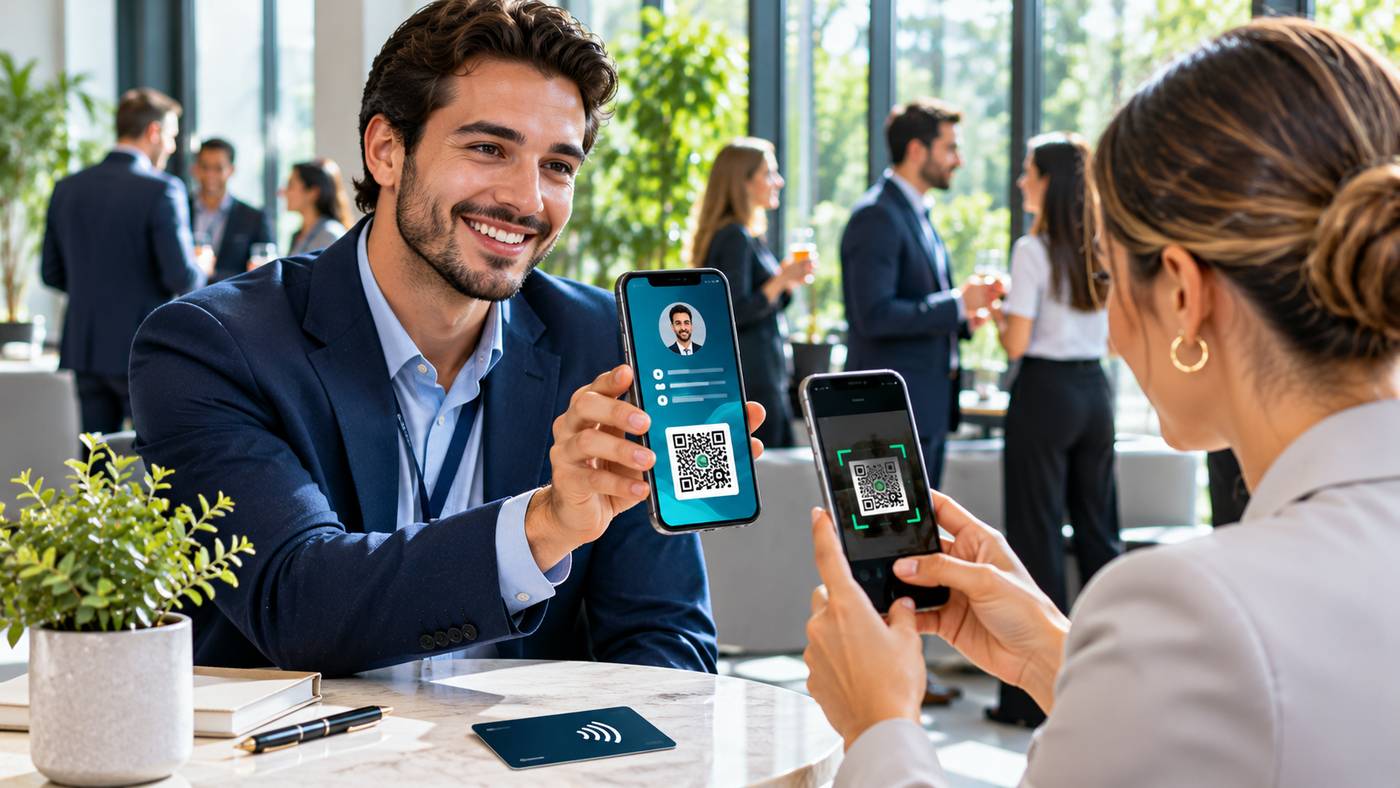
Knowing how to make a digital networking card is an increasingly valuable skill for entrepreneurs, freelancers, sales professionals, and business owners who want to share contact information quickly and professionally. Traditional paper business cards remain useful, but they can become outdated when phone numbers, job titles, or company details change. Digital alternatives allow professionals to share a contact profile through QR codes, links, mobile wallets, and compatible NFC devices. They can also provide access to websites, professional portfolios, and booking pages without crowding a small printed card. This guide explains nine practical steps for creating a digital networking card, choosing the right features, and turning new professional introductions into meaningful business relationships in 2026.
What Is a Digital Networking Card?
A digital networking card is an electronic profile containing professional contact information and relevant business details.
It commonly includes a person’s name, company, job title, telephone number, email address, website, and professional social media profiles.
Unlike a printed card, an online profile can be updated without ordering another batch of cards.
Some platforms also allow recipients to save contact details directly to their smartphones.
A digital card can be shared through a website link, QR code, or NFC-enabled physical card. Certain services support Apple Wallet and Google Wallet as additional sharing methods.
The objective is simple: make it easier for someone to remember you, understand what you do, and contact you after a professional conversation.
A digital networking card is not necessarily a replacement for every printed card. Many professionals benefit from having both options available.
Why Digital Business Cards Are Useful in 2026
Professional networking takes place through many different channels.
People meet potential clients at conferences, industry exhibitions, local business events, virtual meetings, and online communities.
An effective digital card allows contact information to travel across these environments.
Convenient Contact Sharing
Instead of manually entering a telephone number, someone can open a professional profile using a QR code or link.
This reduces the amount of information that needs to be exchanged verbally.
Easier Information Updates
When someone changes jobs or updates a website, they can edit their digital profile.
Recipients opening the same live profile link can then see the revised information.
Professional Brand Presentation
A digital profile may include a company logo, professional photo, consistent brand colours, and carefully selected links.
Better Follow-Up Opportunities
Some platforms offer contact exchange forms, allowing both people to provide information rather than making networking one-sided.
However, collecting contact details does not automatically create permission to send marketing messages. Follow-up practices should respect recipients’ expectations and applicable privacy rules.
9 Smart Steps to Make a Digital Networking Card
1. Define Your Professional Networking Goals
Before designing your card, consider why someone would need your contact information.
A freelancer may want prospective clients to review their portfolio and request a quotation.
A sales representative might prioritize business email, telephone number, and appointment booking.
A consultant may prefer to highlight professional expertise, service descriptions, and industry credentials.
The information you display should support your primary networking objective.
Identify Your Main Audience
Consider whether the card will be shared mainly with customers, employers, potential business partners, or event attendees.
Someone seeking employment will generally need a different profile from a business owner promoting professional services.
Clear objectives make it easier to decide which information deserves prominent placement.
2. Choose a Reliable Digital Card Platform
The next step is selecting software that supports your preferred contact-sharing methods.
Look for a platform with a straightforward profile editor, mobile-friendly display, convenient sharing options, and clearly explained pricing.
Businesses that want to make a digital networking card can explore Wave Connect, a platform offering digital business profiles for individuals and teams.
According to its official website, Wave supports QR-code sharing, profile links, Apple Wallet, Google Wallet, and optional NFC business cards. Its free plan includes unlimited sharing, contact saving, and contact exchange features. Wave Connect+1
These features make it possible to start with a digital profile without immediately purchasing physical NFC hardware.
Before selecting any service, review its privacy practices, current subscription terms, and whether exported contacts remain accessible if you change providers.
3. Add Accurate Professional Information
Once you have selected a platform, create a profile using details that you are comfortable sharing.
Start with your professional name, current job title, and company or business name.
Add a suitable contact method, such as a work email address or business telephone number.
If you operate independently, include a brief description of your primary service.
For example, a website designer could describe their work as helping small businesses build accessible, mobile-friendly websites.
Avoid adding unnecessary personal information.
A home address, private telephone number, or personal email account may not be appropriate for a card distributed widely at public events.
Accuracy is especially important because an incorrect email address or broken website link can prevent someone from contacting you.
4. Include Useful Business Links
A digital card can provide more information than a standard printed business card.
However, this does not mean every available link should be included.
Select destinations that help recipients understand your professional work.
For many people, the most useful options are a business website, LinkedIn profile, portfolio, or appointment booking page.
A real estate professional might link to a property consultation form, while a software developer may prefer a portfolio and technical projects.
Choose One Primary Action
A clear call to action helps visitors understand what to do next.
Examples include booking a consultation, viewing a portfolio, or sending a business inquiry.
If the profile includes too many competing actions, important information may become harder to find.
Keep your most relevant contact option easy to access.
5. Design a Clean and Professional Card
A digital profile should look professional on a small smartphone screen.
Choose colours that complement your personal or company branding, and use a clear, recent photograph when appropriate.
Avoid crowded layouts, excessive animations, and unnecessary decorative elements.
When you make a digital networking card, readability should take priority over visual complexity.
Ensure that names, job titles, and important contact actions are easy to identify.
Test your profile on different screen sizes and check whether buttons are large enough to use comfortably.
A consistent design can help recipients recognise your business across your website, email signature, and other professional materials.
6. Generate a QR Code for Instant Sharing
A QR code is one of the simplest ways to exchange digital contact information in person.
Most digital card platforms create a QR code connected to your professional profile.
Someone can scan the code using a compatible smartphone camera to open your contact details.
QR codes can also be placed on event badges, brochures, presentation slides, and printed marketing materials.
Test the QR Code First
Before using the card at an important event, test the code on both iPhone and Android devices where possible.
Confirm that it opens the correct profile and that the recipient can save your information.
Be aware that live web profiles normally require an internet connection, although some services offer offline contact-sharing options.
Wave Connect, for example, advertises an offline QR-code feature alongside its usual online sharing methods. Wave Connect
7. Explore NFC and Mobile Wallet Sharing
Near Field Communication, or NFC, allows compatible devices to interact over a short distance.
Some digital networking platforms offer physical NFC cards that open an online professional profile when tapped against a compatible smartphone.
This approach can be useful at conferences, exhibitions, and networking meetings.
However, physical NFC cards are optional.
You can make a digital networking card and share it without purchasing additional hardware.
Mobile wallet integration offers another convenient option.
Wave Connect supports Apple Wallet and Google Wallet sharing, allowing users to keep their digital card readily accessible. Wave Connect
The best method depends on the devices your contacts use and the type of networking you regularly undertake.
8. Exchange Contact Details and Follow Up
Professional networking becomes more useful when both participants can maintain contact after meeting.
Some digital card platforms offer a contact exchange form through which recipients can voluntarily share their details.
Wave Connect includes two-way contact exchange and lead capture features. Wave Connect
After meeting someone, consider sending a short, personalised message referring to your conversation.
For example, you might share an educational resource relevant to a topic discussed during the meeting.
Avoid immediately enrolling new contacts in unrelated promotional campaigns.
A useful follow-up should respect the person’s interests, communication preferences, and applicable marketing regulations.
9. Review, Update, and Measure Your Card’s Performance
Your digital networking card should remain accurate as your professional responsibilities change.
Review your contact information periodically, particularly after changing jobs, launching a new service, or updating your website.
Check that links still work and that your primary call to action remains relevant.
Some digital card platforms also provide analytics or contact management features.
These may help you understand how frequently the card is shared or which networking activities generate useful connections.
However, views and scans alone do not indicate successful relationships.
Evaluate outcomes such as meaningful conversations, relevant business inquiries, and follow-up meetings.
Digital Networking Cards vs. Traditional Business Cards
Printed cards remain convenient because they are familiar, inexpensive in small quantities, and do not require someone to use a smartphone.
Digital cards offer different advantages.
They are easier to update, can contain additional links, and may reduce repeated printing requirements.
For professionals frequently attending networking events, these features can save administrative effort.
However, digital cards depend on suitable devices and, for many features, network access.
Some recipients may also prefer receiving printed contact details.
Instead of treating the two formats as direct competitors, consider using them together.
A printed card containing a QR code can provide a physical reminder while connecting recipients to an updated digital profile.
Digital Cards for Businesses and Teams
Digital networking cards can also help organisations maintain consistent professional identities across multiple employees.
For example, a marketing agency may want every employee’s card to display an approved logo, company website, and standard contact structure.
Team management tools can reduce inconsistent branding and simplify updates when employees change roles.
Wave Connect advertises team and enterprise features including centralised management, branded templates, employee onboarding, usage analytics, and supported CRM integrations. Wave Connect
Businesses should assess whether these capabilities justify a paid subscription.
A freelancer may need only one free profile, while a growing sales organisation could benefit from central administration and structured lead management.
How Much Does It Cost to Create a Digital Networking Card?
Many providers offer free digital card options.
Paid subscriptions may provide additional branding controls, analytics, integrations, or team management.
Physical NFC cards generally involve a separate hardware purchase.
Wave Connect advertises a free individual plan that includes QR-code sharing, contact exchange, mobile wallet support, and unlimited sharing. More advanced business features are available through paid plans. Wave Connect
Before subscribing, confirm the current fees, renewal terms, export options, and features available on your selected plan.
For a first-time user, a free profile can be a sensible way to evaluate whether digital contact sharing meets their needs.
Privacy and Security Considerations
A digital business card may be publicly accessible to anyone with its QR code or profile link.
For this reason, only publish contact details intended for professional distribution.
Use a work email address where practical and avoid including sensitive personal information.
If the platform collects other people’s information, review how that data is stored, accessed, and deleted.
Businesses should also understand their responsibilities under applicable privacy and electronic marketing laws.
Make sure employees know what information may be shared and how collected contacts should be handled.
Frequently Asked Questions
1. How do I make a digital networking card for free?
Choose a platform with a free plan, create an account, add professional contact details, customise your profile, and share it using a QR code or link.
2. Can I create a digital business card on my phone?
Yes. Many digital business card services work through mobile browsers or applications, allowing you to create, edit, and share a profile using a smartphone.
3. Do recipients need to download an app?
Not always. Browser-based digital cards can generally be opened through a QR code or link without requiring the recipient to install a dedicated application.
4. What is the difference between a QR code card and an NFC card?
A QR code is scanned using a camera, while an NFC card communicates with compatible devices through a short-range tap. Both can direct someone to a digital contact profile.
5. Can I update my digital networking card after sharing it?
Yes, with a platform that uses an editable online profile. Changes to your live profile can be reflected when recipients open the same link again.
6. Are digital networking cards suitable for small businesses?
Yes. They can help business owners, freelancers, consultants, and employees share accurate professional information and make follow-up communication easier.
Conclusion
Learning to make a digital networking card is a practical way to modernise how you share professional contact information. A well-designed profile combines accurate details, clear branding, useful business links, and convenient sharing methods such as QR codes or NFC. By choosing an appropriate platform and maintaining your information regularly, you can make networking more efficient without relying entirely on printed cards. The greatest benefit comes not simply from exchanging information, but from turning professional introductions into valuable long-term relationships.
