
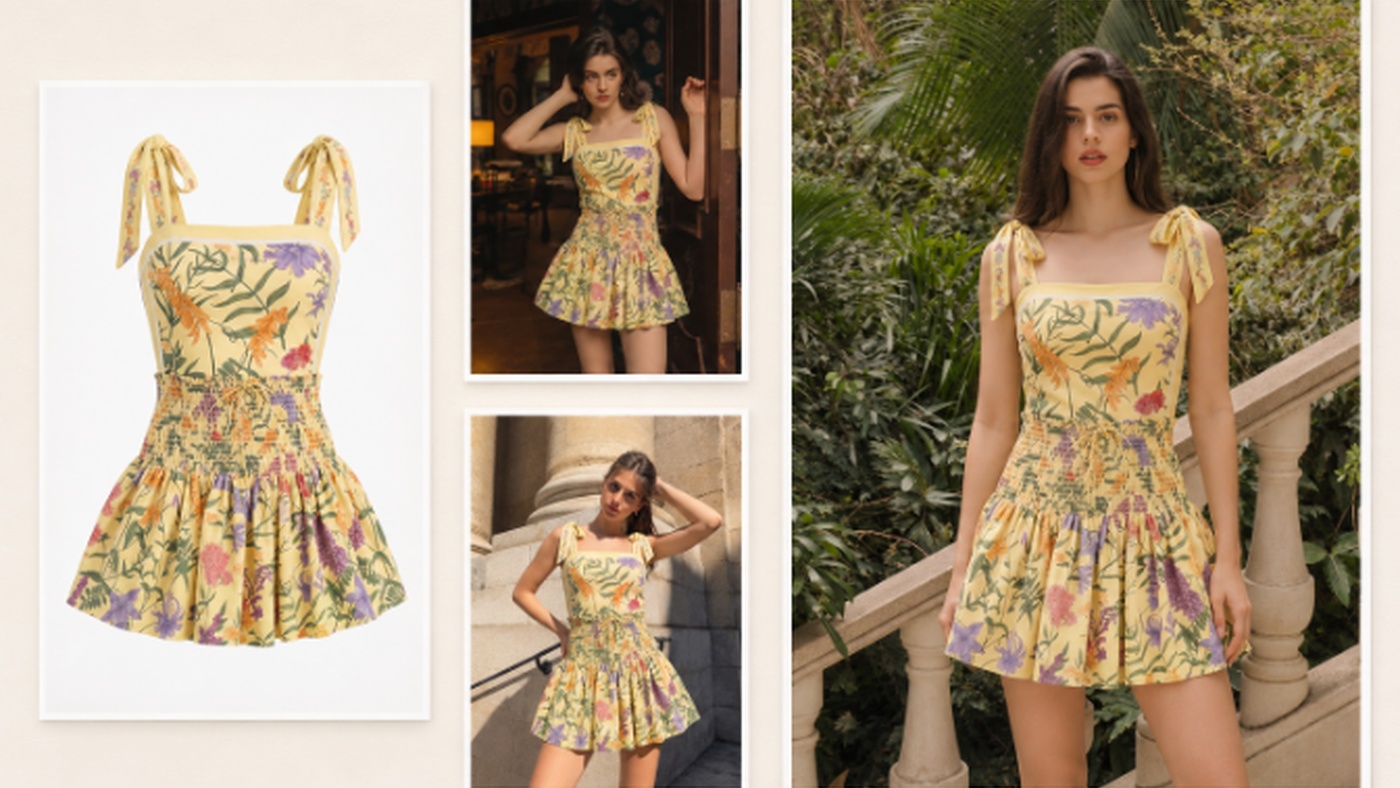
Many small and mid-sized brands launching a new collection hit the same problem. They have one batch of garment photos, and it has to work as materials for two very different kinds of platforms. A typical fall collection has a dozen or so looks and around thirty SKUs (stock keeping units, meaning each individual item split out by color and size). With roughly a week left before launch, the team usually has flat lays, hanger shots and ghost mannequin photos, and nothing else.
Product pages and the lookbook need images that answer specific questions. Where exactly does this coat hit on the thigh? Is that a lapel collar or a stand collar? The teasers on Instagram Reels and YouTube Shorts need to grab attention. They have a few seconds to make someone stop scrolling, and they still have to leave an impression of the season’s look and feel.
A lot of fashion collection launches get stuck right here. Some teams try using video as the lookbook, but it’s hard to make out fit and fabric detail in a video. Others shoot a lookbook soaked in mood, and shoppers have no idea how the trousers actually fit. That’s why preparing product imagery matters so much, and why it eats so much time. Many teams want to bring in AI to speed things up. The steps below are one way to do it.
What this season is trying to say
Before generating anything, the creative lead needs to settle on the season’s theme, something like “relaxed commuter.” Without a fixed theme, different people will prepare images in very different styles, and the brand’s overall coherence and consistency suffers.
Next comes picking the hero looks. Out of a dozen or so, usually only three or four really represent the collection. The rest are supporting pieces and basics. Hero looks go up front in the lookbook and get extra frames, and in the teaser they handle the opening and the close. For each one, mark one or two details that have to be seen. That might be a row of hidden snaps, an asymmetric hem, or the texture of a particular tweed.
Let the static lookbook carry the detail
The advantage of a lookbook is that people can stop and look. Shoppers zoom in and flip back and forth, and they mentally compare what they see with what’s already in their closet. So each image in a digital lookbook should have a clear job. How does the full outfit go together? How do the top and trousers sit in proportion? What does the coat look like open versus buttoned?
On-model shots can be generated with AI. Tools like Snappyit’s AI fashion model generator turn flat lays, hanger shots or ghost mannequin photos into images of the clothes worn on a model. You can pick a model from the templates or upload one you have permission to use, and you set the visual direction yourself. For a team on a tight budget, every look can get a full on-model shot without hiring models and booking a studio each time.
Check the details on every generated image before it goes live. The visual director also needs to confirm it fits the brand.
Let video set the mood
Video has a very short window to get rhythm and emotion across to shoppers. It tells them whether the season leans sharp or slouchy, and whether it lives in the city or outdoors. A teaser depends on sequencing. Which look comes out first, what shot reveals it, how many seconds pass before the next cut. All of that matters far more than how polished any single frame is. A common structure opens on the lead pieces, cuts quickly through two or three outfits in the middle, and lands on a hero look or the launch date. Vertical formats like Reels and Shorts suit this structure well.
Snappyit’s AI fashion video generator can turn reference photos of clothing and accessories into styling or try-on videos, with templates that include models, settings and camera moves. Different templates need product photos from different angles, so it’s best to shoot every reference you’ll need from the start. Get the front, the back, the side and close-ups of key details, and shoot accessories on their own.
Pacing the release
· In the pre-launch tease, lean on motion clips. Show only partial views or silhouettes, never a complete outfit, and keep people curious.
· On launch day, put the full lookbook on the product and collection pages and release the full teaser the same day, so each one sends traffic to the other.
· After launch, break the lookbook down into item-level detail shots for product pages. Cut each look out of the video as its own clip for ads or follow-up styling posts.
In this pacing plan, AI supplies the visuals. The collection concept, the styling, shot choices, accuracy, and the final launch schedule are still the creative team’s job.
Connecting the stills and the video
Shoppers often run into these two things in the opposite order from how the team made them. They catch a three-second shot on Reels, get curious, and click through to the product page. Only then does the lookbook show them the fit. If a piece is camel in the video but reads as khaki on the product page, they won’t think about lighting. They’ll just assume the product doesn’t match what they were shown.
So add one more step before launch. Pick one main image from each of the three or four hero looks and put it on a single page next to the matching video clip. Then check color, length and styling one look at a time. After that, check the link in every teaser caption and make sure it goes straight to the product page for that look, not to the collection homepage. When someone clicks through, the first thing they see should be the piece they just watched.
