
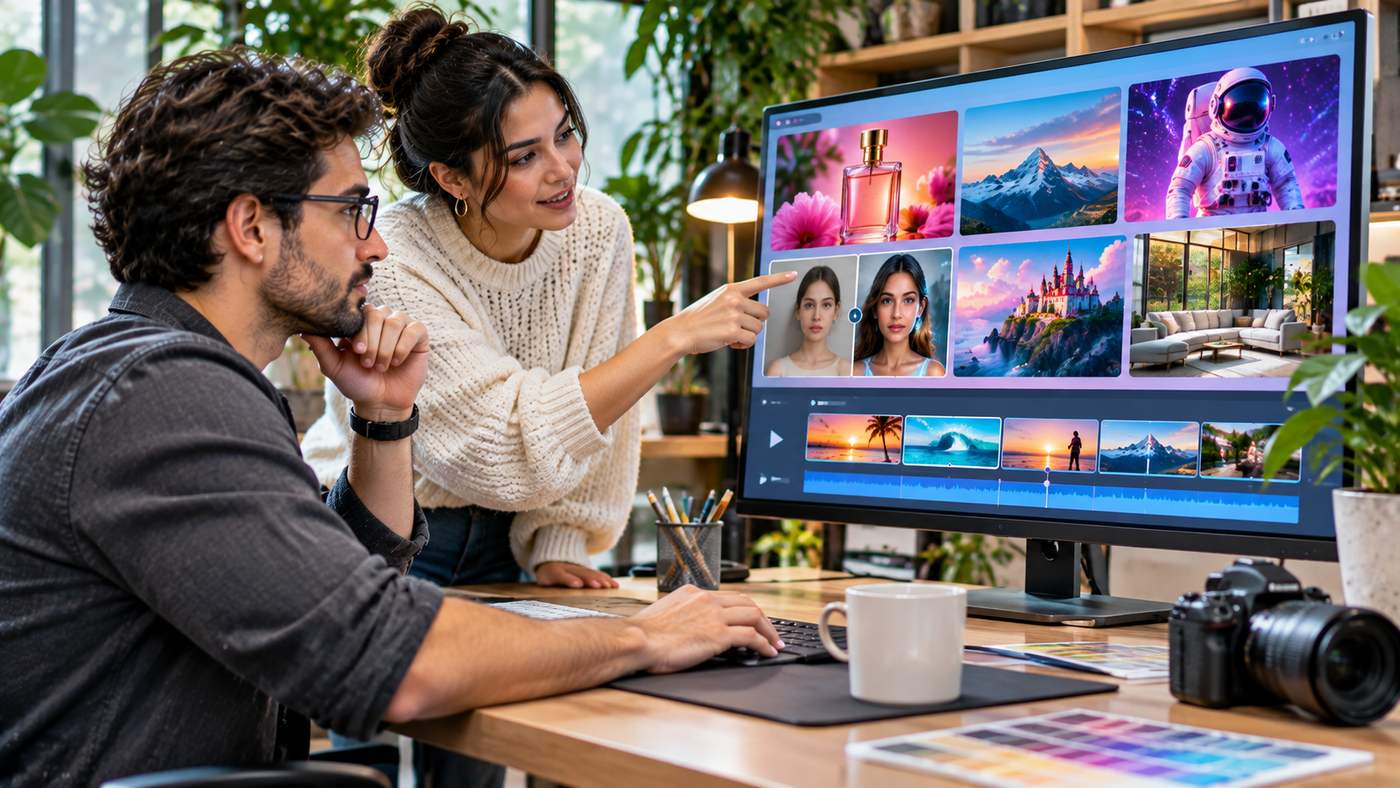
Artificial intelligence has transformed the way businesses, designers, and content creators produce digital visuals. Tasks that once required advanced editing software, specialized equipment, and significant production time can now begin with a simple written description. From realistic product photography to promotional videos and creative illustrations, AI-powered tools are making visual content creation more accessible.
Banana Pro AI is one platform that emerged within this rapidly developing creative technology market. Originally known for its AI image and video generation capabilities, the service has since evolved into Pixomi AI, a broader platform offering image editing, video creation, and connected creative workflows.
The transition reflects a growing trend toward platforms that combine multiple creative tools instead of requiring users to move between unrelated applications.
For business owners, marketers, independent creators, and digital agencies, understanding these capabilities can help identify opportunities to improve production efficiency and experiment with new visual formats.
This guide explores how the platform works, its major features, practical use cases, creative workflows, and important considerations before using AI-generated content professionally.
What Is Banana Pro AI?
Banana Pro AI is the former name of Pixomi AI, an artificial intelligence platform designed to help users generate and edit digital media.
The service originally emphasized AI-powered image creation and video generation before expanding into a wider creative environment.
In June 2026, the company announced its rebranding from Banana Pro AI to Pixomi AI, reflecting its intention to support a broader range of creative activities.
The updated platform brings together tools for creating images, editing photographs, generating videos, and organizing production workflows.
Users can begin with written prompts, upload existing images, or experiment with different AI models depending on the task.
Understanding the Rebrand to Pixomi AI
The transition from Banana Pro AI to Pixomi AI represents a change in branding and product positioning rather than simply a cosmetic website update.
According to the company’s rebranding announcement, the expansion was intended to bring additional AI creative capabilities into a unified environment.
The broader offering includes tools associated with visual generation, editing, video creation, and workflow automation.
This is particularly relevant for creators who regularly move between different content formats.
A marketing team might begin with an AI-generated product image, refine the composition, and then transform the result into a short promotional video.
Having connected tools available within one environment can simplify that process.
Is It the Same as Google’s Nano Banana Pro?
The names can create confusion.
Banana Pro AI refers to the creative platform that rebranded as Pixomi AI.
Google’s Nano Banana Pro refers to a separate AI image-generation model associated with Google’s Gemini technology.
Pixomi AI may provide access to models from different technology providers, but the platform itself should not be confused with any single underlying model.
Understanding this distinction helps users evaluate the service accurately.
How AI-Powered Visual Generation Works
Modern AI image generators use machine learning models trained to recognize visual patterns and relationships between language and imagery.
When users enter a prompt, the system interprets the description and generates an image based on that input.
For example, a marketer might request a realistic photograph of a modern home office featuring a laptop, natural lighting, wooden furniture, and indoor plants.
The system attempts to produce a composition that matches those instructions.
Text-to-Image Generation
Text-to-image tools create visual content from written descriptions.
Prompts can specify subjects, environments, lighting, artistic styles, camera angles, and image proportions.
Detailed instructions generally provide more creative direction than vague requests.
A useful prompt might describe a product’s materials, background, intended audience, and photographic style.
However, AI results are not always predictable, and users may need several iterations before achieving a suitable result.
Image-to-Image Editing
Image-to-image technology starts with an existing visual.
Users can request changes to backgrounds, colors, clothing, lighting, composition, or artistic style.
This can be useful when a business already has photographs but wants to explore alternative presentations.
For example, an online retailer might experiment with placing a product against different lifestyle backgrounds.
Any resulting image should still represent the product accurately.
Image-to-Video Generation
Image-to-video tools attempt to create motion from a static image.
A photograph of a landscape might become a short clip with moving clouds and subtle camera movement.
A product image might be transformed into a promotional sequence with controlled camera motion.
Results depend on the model, source image, prompt, and available settings.
Seven Powerful Features for Digital Creators
The platform offers several capabilities that may support different stages of visual content production.
1. AI Image Generation
One of the central features of Banana Pro AI is the ability to generate new images from written instructions.
This can support social media graphics, advertising concepts, digital illustrations, blog imagery, and creative experimentation.
Users can describe the desired scene without needing to construct every visual element manually.
For example, a travel agency could generate conceptual imagery for a destination-themed marketing campaign.
A technology blog might produce an illustration explaining artificial intelligence or cybersecurity.
Generated images should be reviewed for accuracy, particularly when they depict real places, people, products, or events.
2. Advanced AI Photo Editing
The platform also provides tools for modifying existing images.
Depending on the selected feature, users may be able to change backgrounds, refine lighting, alter visual styles, or adjust parts of a composition.
This can reduce the amount of manual editing required for certain routine tasks.
However, image editing through AI can introduce unintended changes.
Product details, facial features, text, and object proportions should be inspected carefully before publication.
3. AI Video Generation
Video content is increasingly important for digital marketing and social media.
Pixomi AI offers video generation functionality designed to help users create moving visuals from written prompts or source images.
This may be useful for product previews, short promotional clips, creative storytelling, and visual concepts.
Rather than immediately investing in a full production, a team can use AI-generated video to explore different ideas.
Professional projects still require review for visual continuity, factual accuracy, and suitability for the intended platform.
4. Multiple AI Model Options
Different AI models can produce different visual results.
Some may be more suitable for photorealistic scenes, while others may perform better with illustrations, stylized artwork, or particular editing tasks.
Pixomi AI presents access to multiple image-generation technologies within its platform.
This allows creators to compare outputs rather than relying exclusively on one model.
Model availability and capabilities may change, so users should review the current options when choosing a subscription.
5. Connected Creative Workflows
One of the platform’s more distinctive offerings is its visual workflow environment.
The workflow canvas is designed to let users connect creative tasks into a sequence.
For example, a user might generate an image, apply an editing operation, and then use the result as the basis for a video.
This approach can reduce repetitive file transfers between separate applications.
It may be especially valuable for agencies creating recurring visual content.
6. Templates and Creative Prompts
Many creators know what they want to produce but struggle to write effective AI prompts.
A prompt library can provide starting points for different visual styles and use cases.
Pixomi AI offers prompt-related resources that users can adapt for their projects.
A template might establish a particular lighting style, camera angle, or composition.
Users can then replace the subject and supporting details to create a more relevant result.
Templates should be treated as starting points rather than guarantees of identical output.
7. Tools for Marketing and Commercial Content
AI-generated visuals can support several business applications.
Marketing teams may use them to explore promotional concepts, prepare social media imagery, or create draft product presentations.
Content publishers can develop custom illustrations for articles.
Small businesses can experiment with visual campaigns without immediately commissioning every design from scratch.
However, commercial usage rights, model restrictions, and relevant advertising requirements should be checked before publishing generated assets.
Exploring Pixomi AI for Creative Production
Creators interested in using Banana Pro AI can explore its current platform under the Pixomi AI brand.
Its official website presents a range of tools for generating images, editing photographs, developing videos, and organizing creative processes.
The service is aimed at users who want AI-assisted visual creation without managing every production step through traditional editing software.
Getting Started With the Platform
A typical workflow begins by identifying the required output.
For an image project, users can choose an image-generation feature and provide a detailed text prompt.
For an editing task, they can upload a suitable source image and describe the desired changes.
Video projects may begin with text instructions or an existing visual.
After generation, users should review the result and make adjustments as necessary.
Choosing the Right AI Model
Different models may vary in output style, generation speed, and editing capabilities.
A realistic product photograph may require different settings from a fantasy illustration or animated promotional clip.
Creators should test the options available within their plan and compare them against project requirements.
The most suitable model is not necessarily the one with the most advanced marketing description.
It is the one that produces useful results consistently for the intended task.
Practical Uses for Businesses and Marketers
Visual content is required across websites, advertisements, social networks, and customer communications.
AI tools can support these activities when integrated into a clear production process.
E-Commerce Product Photography
Online stores often need product images for catalog pages, promotional banners, and social advertisements.
AI-assisted editing can help prepare alternative backgrounds or develop visual concepts.
For instance, a furniture company might explore how a sofa appears in different interior design settings.
The final images must accurately represent the product’s actual features.
Misleading alterations can create customer complaints and damage trust.
Social Media Marketing
Social platforms regularly require fresh visual content.
A marketing team might develop images for educational posts, seasonal promotions, or product announcements.
AI generation can accelerate initial concept development.
However, branding, readability, and factual claims should remain subject to editorial review.
Blog Featured Images
Bloggers and website owners often need illustrations that match specific article topics.
An AI generator can help produce custom images instead of relying exclusively on generic stock photography.
For example, a technology publisher could create a visual explaining cloud computing.
A home improvement website might generate an illustrative scene showing a renovation concept.
Image dimensions, file sizes, alt text, and relevance should be reviewed before upload.
Short-Form Video Campaigns
Businesses increasingly experiment with short videos for social advertising and digital storytelling.
Image-to-video tools can help create motion-based concepts from existing visuals.
However, AI-generated clips may contain distorted movements or inconsistent objects.
Careful inspection is important before using them in public campaigns.
Writing Better Prompts for AI Images
Prompt quality influences the direction of the generated output.
Although even detailed prompts may require revisions, a structured approach can reduce uncertainty.
Describe the Main Subject
Begin by identifying the principal object, person, or environment.
Avoid vague descriptions such as “make a beautiful picture.”
Instead, describe the intended subject clearly.
For example, specify a contemporary kitchen with natural timber cabinetry, stone countertops, and large windows.
Explain the Environment
Background details help establish context.
Consider whether the image should show an office, residential interior, outdoor landscape, studio, or commercial setting.
Environmental information also helps determine the overall mood.
Specify Lighting and Composition
Lighting can dramatically affect the appearance of an image.
Soft daylight creates a different effect from dramatic studio lighting.
Camera framing also matters.
A close-up product photograph serves a different purpose from a wide architectural view.
Choose the Appropriate Aspect Ratio
Aspect ratio should reflect the publishing destination.
Wide landscape images may be appropriate for blog headers or video thumbnails.
Square designs may work better for certain social media placements.
Vertical formats can be useful for mobile-first content.
Check the platform’s available output options before beginning production.
Review and Refine the Result
Prompt writing is an iterative process.
If the first result does not meet expectations, identify the specific problem.
Adjust the instructions to improve the background, framing, lighting, or subject appearance.
Changing one important variable at a time can help creators understand which instructions affect the output.
Building a Repeatable AI Content Workflow
Businesses can improve efficiency by standardizing how they create visual content.
Step One: Define the Creative Objective
Identify what the image or video is supposed to accomplish.
The goal might be to illustrate an article, present a product, or support an advertising message.
Step Two: Prepare a Creative Brief
Document the target audience, required format, brand colors, desired style, and key visual elements.
A clear brief helps reduce unnecessary experimentation.
Step Three: Generate Initial Concepts
Use AI tools to develop several distinct approaches.
Compare the results according to the original brief.
Step Four: Select and Refine
Choose the strongest concept and correct visible issues.
Verify product details, text, proportions, and visual consistency.
Step Five: Prepare the Final Asset
Export the image or video in a suitable format.
For website imagery, consider dimensions, compression, accessibility, and loading performance.
For videos, review the frame rate, aspect ratio, duration, and audio requirements.
Step Six: Publish and Evaluate
After publication, monitor relevant performance indicators.
These might include engagement, advertising conversions, or user feedback.
Use the results to improve subsequent creative briefs.
Important Limitations of AI Visual Tools
AI-assisted production provides flexibility, but it also introduces challenges.
Visual Inaccuracies
Generated images may contain distorted hands, unusual reflections, inconsistent details, or unrealistic object relationships.
These errors can reduce the credibility of professional content.
Quality control is therefore necessary.
Brand Consistency
Repeatedly generating images from scratch may produce inconsistent colors, typography, or visual characteristics.
Businesses should maintain clear design guidelines and use reference materials when supported.
Copyright and Usage Rights
Commercial rights depend on the platform’s terms, model restrictions, and applicable law.
Users should not assume that every generated asset has unrestricted commercial usage rights.
Uploading copyrighted reference material or private photographs may also create legal or privacy considerations.
Misleading Visual Claims
AI-generated images can appear convincingly realistic.
Businesses should avoid presenting fabricated events, altered product features, or invented customer experiences as genuine.
Transparency matters when generated visuals could mislead an audience.
How to Evaluate an AI Creative Platform
Before subscribing to a service, consider its practical suitability.
Review the available image and video models.
Test whether the system can reliably produce the desired visual style.
Evaluate editing tools, export options, workflow flexibility, and asset management features.
Check the current pricing structure, including how generation credits are calculated.
Some tools charge different amounts depending on the selected model, video duration, or output quality.
Also review privacy practices and any restrictions on uploaded content.
For business teams, collaboration capabilities and approval procedures may be important.
A platform should be selected according to actual production requirements rather than feature quantity alone.
The Future of AI Image and Video Creation
AI creative technology is moving toward increasingly connected workflows.
Instead of treating image generation, editing, animation, and video production as unrelated activities, platforms are combining them into integrated environments.
This could help creators move from initial ideas to finished assets with fewer manual steps.
At the same time, professional standards remain important.
Businesses will still need designers, editors, marketers, and other specialists to establish creative direction and evaluate quality.
AI may reduce repetitive work, but it does not eliminate the value of human judgment.
Platforms such as Pixomi AI illustrate how the market is shifting toward broader creative production systems.
Their long-term usefulness will depend on reliability, affordability, output quality, and how well they fit established workflows.
Frequently Asked Questions
What is Banana Pro AI?
Banana Pro AI is the former name of Pixomi AI, a platform offering AI-powered image generation, photo editing, video creation, and connected creative workflows.
Is Banana Pro AI now called Pixomi AI?
Yes. The company announced its rebranding to Pixomi AI in June 2026 as it expanded beyond its earlier image and video generation focus.
Can Banana Pro AI generate videos?
Yes. The Pixomi AI platform includes video-generation features that can create moving visuals using text prompts or existing images, depending on the selected tool.
Is Pixomi AI the same as Google Nano Banana Pro?
No. Pixomi AI is a creative platform, while Nano Banana Pro is a separate image-generation model associated with Google’s Gemini technology. The names should not be treated as interchangeable.
Conclusion
Artificial intelligence is making digital image and video creation more accessible to businesses, marketers, and independent creators.
Banana Pro AI, now known as Pixomi AI, reflects this development through its combination of image generation, photo editing, video production, and connected creative workflows.
The platform may help users experiment with visual concepts, prepare marketing content, and reduce repetitive production tasks.
However, successful AI-assisted content creation still requires accurate prompts, careful editing, appropriate usage rights, and clear creative objectives.
By combining automated tools with human expertise and reliable quality control, creators can develop more efficient production workflows while maintaining the visual standards expected in professional digital content.
