
Choosing employee monitoring software is easier when you rely on verified facts instead of marketing claims. We checked every plan, price, and feature in this guide against vendor pricing pages, support documents, and trusted review sites in October 2026. Where sources disagree, we flag it, so you know which figures to confirm with the vendor before you buy.
The best employee monitoring software depends on what you need to measure. Apploye, Hubstaff, and Time Doctor fit time tracking and payroll; DeskTime fits automatic tracking; Insightful and ActivTrak fit analytics, and Teramind fits security.
Keep reading to see how seven leading tools compare on features, pricing, pros, and cons. You will also learn which hidden costs raise your final bill and how to introduce monitoring while keeping your team’s trust.
Quick Overview
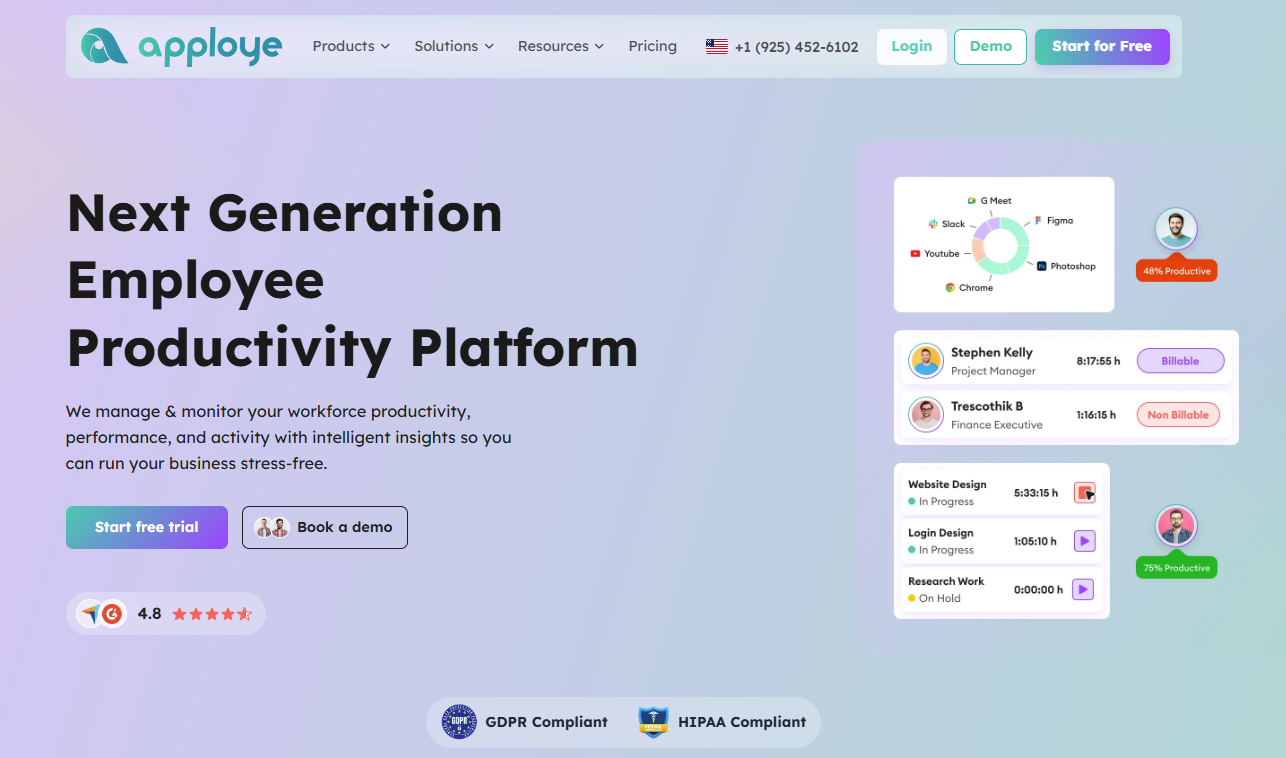
Apploye is the best employee monitoring software for most teams. It combines time tracking, projects, budgets, and payroll in a simple interface, with a free plan for up to 10 people and paid plans starting at $4.50 per user per month on annual billing.
Other tools fit different needs. Hubstaff suits distributed teams with payroll, Time Doctor offers detailed time-use reports, and DeskTime tracks time automatically. Insightful and ActivTrak focus on workforce analytics, while Teramind covers security and compliance.
The right choice depends on what you need to measure, such as billable hours, productivity patterns, or data security. Matching the tool to that goal matters more than the number of features it offers.
How to Choose the Best Employee Monitoring Software
Choosing the right employee monitoring software means balancing productivity insights, ease of use, cost, and employee privacy. Instead of focusing on the number of features, compare tools based on how well they meet your business needs.
1. Compare Core Features
Start by identifying the features your team actually needs. Common features include time tracking, activity monitoring, app and website usage, screenshots, productivity reports, attendance tracking, and project tracking. Choose a platform that provides useful insights without unnecessary monitoring features.
2. Evaluate Pricing
Compare pricing based on your team size and required features. Check whether the software offers a free plan, free trial, monthly or annual billing, and different pricing tiers.
Also look for additional charges for advanced reports, screenshots, integrations, or extra users.
3. Prioritize Transparency and Privacy
Employee monitoring should be transparent. Look for tools that clearly explain what data is collected and when monitoring occurs.
Features such as employee notifications, privacy controls, monitoring schedules, and data-retention settings can help create a more trustworthy workplace.
4. Check Ease of Setup and Use
The software should be simple to install, configure, and manage. Consider whether it supports your team’s devices and operating systems and whether administrators can easily add users, create teams, and customize monitoring settings. A clean dashboard also makes reports easier to understand.
5. Review Reports and Analytics
Good monitoring software should turn activity data into actionable insights. Look for daily and weekly reports, productivity trends, time summaries, application usage reports, and exportable data.
Customizable reports are especially useful for managers who need specific information.
6. Consider Security and Integrations
Because monitoring software handles employee data, check its security features, access controls, encryption, and data-storage policies.
Also consider integrations with tools your business already uses, such as project management, HR, payroll, and communication platforms.
7. Test Before You Buy
Whenever possible, use a free trial or demo. Test installation, reporting accuracy, dashboard usability, integrations, and employee experience before committing to a paid plan.
Quick Comparison Table
Use this table to see how the seven tools compare at a glance, then read each section below for full details.
| Tool | Free option | Paid pricing (per user/month, annual billing) | Best for |
| Apploye | Free plan | $4.50 to $8.00, plus custom Enterprise | Agencies and remote teams |
| Hubstaff | 14-day trial | $4.99 to $25 | Distributed teams with payroll needs |
| Time Doctor | 14-day trial | $6.67 to $16.70, plus custom Enterprise | Teams wanting time-use detail |
| DeskTime | 14-day trial | $6.42 to $9.17, plus custom Enterprise | Automatic time tracking |
| Insightful | 7-day trial | $8 to $16, plus custom Enterprise | Workforce analytics |
| ActivTrak | Free plan (3 users) | $10 to $19, plus custom Enterprise | Workload and productivity insight |
| Teramind | Free trial | About $14 to $35, with a 5-seat minimum | Security and compliance |
1. Apploye
Apploye is a time tracking and remote employee monitoring tool for remote teams, agencies, and field crews. It connects tracked hours to your projects, budgets, and payroll, helping you bill clients and pay your team accurately.
No complex interface or learning curve; you just sign up and use it. Its easy-to-use UI is the deal-making factor for many managers and HRs.
Key features
- Time tracking with projects, tasks, and budgets
- Optional screenshots
- Attendance and leave management
- Activity and engagement analytics on higher plans
- Apps and devices reporting on higher plans
- Enterprise options such as single sign-on, account provisioning, and on-premises deployment
Pricing
Apploye’s Starter plan is free for up to 10 people forever with basic features. The Elite plan costs $4.50 per user per month, and the Power plan costs $8.00, with annual billing saving up to 30%.
Enterprise pricing is custom, and Apploye lists a money-back guarantee and says its plans carry no hidden fees, which you should verify at checkout.
Pros
- Low entry price and a real free plan
- Clear link between hours, projects, and budgets
- Simple, per-user pricing
- Useful for both office and field teams
Cons
- Activity analytics sit on paid plans
- Smaller brand footprint than some older rivals
Best for: You will get the most from Apploye if you run an agency, a small or mid-size remote team, or a field team that wants low-cost time tracking tied to projects and payroll.
Things to weigh: Apploye’s free plan lets you test the basics with a small group at no risk. Before you commit, review which analytics sit on the Elite and Power plans, and confirm the current free-plan user limit on the pricing page.
2. Hubstaff
Hubstaff is one of the best-known tools in this category, combining time tracking with activity levels, scheduling, payroll, and a large library of integrations.
Key features
- Time tracking on all major devices
- Screenshots and app and URL tracking, with monthly caps on lower plans
- Project budgets, expenses, and reports on Grow and above
- Scheduling, approvals, and payroll on Team
- Add-ons for analytics, tasks, GPS locations, and longer data retention
Pricing
Hubstaff offers a free plan for one user, and paid plans require at least two seats. Starter costs $4.99 per user per month with annual billing, or $7 monthly, while Grow costs $7.50 annually, or $9 monthly.
Team costs $10 annually, or $12 monthly, and Enterprise costs $25 per user per month, billed annually. Add-ons start at about $1.67 to $3.33 per user per month, and you can try the platform free for 14 days.
Pros
- Strong integrations with project tools
- Payroll and invoicing support
- Flexible plans for small to large teams
- GPS and job-site features for field work
Cons
- Add-ons can raise the real cost
- Starter plan has caps on screenshots and app tracking
- The free plan covers one user only
- Two-seat minimum on paid plans
Best for: You will get the most from Hubstaff if you manage a distributed team or agency that pays contractors and needs hours, budgets, and payments in one system.
Things to weigh: Hubstaff’s price looks low at first glance, but your final bill depends on add-ons and seat minimums. If you want analytics, task boards, and GPS locations for ten people, price those add-ons before you compare plans. If you only need clean timesheets, a lower tier keeps your costs predictable and avoids paying for features your team will never use.
3. Time Doctor
Time Doctor focuses on how your team spends work time, and it tracks hours, flags distractions, and gives you reports on app and website use.
Key features
- Time tracking with task and project detail
- Idle detection and distraction alerts
- Time approvals and real-time notifications on Standard
- Payroll and integrations from the Standard tier up
- Video screen recording on Premium
- Optional add-ons such as Benchmarks AI
Pricing
According to Time Doctor’s support page, annual billing costs $6.67 per user per month for Basic, $11.67 for Standard, and $16.70 for Premium. Monthly billing costs $8, $14, and $20 for the same plans, so you save noticeably by paying annually.
Enterprise pricing is custom, add-ons cost about $2 to $3 per user per month, and you can start with a 14-day free trial.
Pros
- Detailed reports on time use
- Distraction and idle prompts help build focus habits
- Add-ons let you unlock select Premium tools without a full upgrade
Cons
- The jump from Basic to Standard is steep
- Some features sit behind higher tiers
- No permanent free plan
- Detailed capture can feel intrusive if you do not explain it well
Best for: You will get the most from Time Doctor if you want detailed time-use reports and you are comfortable with a higher per-user price.
Things to weigh: Time Doctor suits you if you value detail, but features are spread across tiers, so check which plan holds the reports you need. One review noted that a Standard plan with two paid add-ons can cost more than Premium, so do the math before you stack extras.
4. DeskTime
DeskTime tracks time automatically in the background, starting when a computer turns on and sorting apps and websites into productive, neutral, and unproductive groups you can adjust.
Key features
- Automatic time tracking with productivity categories
- A Private Time option for personal breaks
- Offline time and meeting tracking
- Optional screenshots on Premium and above
- Shift scheduling, absence calendar, and offline time approval on Premium
- Integrations and API access on higher plans
Pricing
Pro costs $7 per user per month, or $6.42 with annual billing, while Premium costs $10, or $9.17 with annual billing. Enterprise pricing is custom and aimed at organizations with 200 or more users, and you can test the tool with a 14-day free trial.
Older DeskTime materials mention a free solo plan, but recent reviews list no permanent free tier, so check the pricing page.
Pros
- Very little manual input
- Employees can mark private time
- Clear, readable productivity reports
- Budget-friendly entry price
Cons
- Pro does not include screenshots
- Some management tools need Premium
- Productivity labels need tuning to match each role
Best for: You will get the most from DeskTime if you want automatic tracking with minimal effort and simple productivity reports.
Things to weigh: DeskTime works best when you can easily categorize each role, because a designer who spends hours in a design app may look different in reports than a support agent who lives in a help desk.
Spend a week tuning the productive and unproductive labels so your data reflects real work.
5. Insightful
Insightful is a work intelligence platform that combines time and attendance with analytics showing you how your teams spend time and how work flows.
Key features
- Real-time overview of team activity
- Capacity analysis and workload balancing
- App and website usage reports
- Screenshots, with screen recording as an add-on
- Workflow mapping and measurement on higher plans
- Insider threat detection and audit logs for security-minded teams
Pricing
Insightful’s pricing page lists Workforce Analytics at $8 per seat per month with annual billing. Workflow Optimization costs $12 and is in beta, while the Combo plan costs $16.
Enterprise pricing is custom, and add-ons include screen recording at $4 per seat and workspace security at $4 per seat. You can start a 7-day free trial without a card, and admins and managers are not billed unless you track them too.
Pros
- Strong analytics for planning and capacity
- Flexible add-ons
- Admins are not charged for dashboard access
- On-premise deployment for large organizations
Cons
- On-premise needs at least 250 licenses
- Some features, such as payroll and invoicing, are still coming soon
- Setup can take longer than simple timesheet tools
Best for: You will get the most from Insightful if you lead a mid-size or large team, such as support or operations, and want analytics to plan staffing and fix process gaps.
Things to weigh: Insightful is more of an analytics platform than a timesheet tool, and its value shows up when you use the data for staffing and process decisions.
If you only need hours worked, a simpler tool may suit you better and cost you less. Some plan features are in beta or marked as coming soon, so ask the vendor what is available today.
6. ActivTrak
ActivTrak leans toward productivity analytics rather than classic time tracking, and it shows you work patterns, focus time, and workload balance across your teams.
Key features
- Activity timeline for users and teams
- Productivity trends and schedule adherence
- Location data on Essentials Plus
- Workload balance and capacity planning on Professional
- ActivTrak Coach on Professional
- Data history from 30 days on Free to 12 months on Professional
Pricing
The Free plan covers up to three users and keeps 30 days of data, so it works best as a small trial for your team. Essentials costs $10 per user per month, Essentials Plus costs $15, and Professional costs $19, all billed annually with a five-user minimum.
Enterprise pricing is custom, extra data history costs $1 per user per month, and every new account gets a 14-day Professional trial.
Pros
- A free plan that works for very small teams
- Clear views of workload balance and burnout risk
- Paid plans support unlimited users
Cons
- Not built as a payroll or billing tool
- Free plan is short on history and features
- Some reviewers raise renewal and contract concerns
- Detailed screen capture is limited
Best for: You will get the most from ActivTrak if you want to understand team habits and workload balance without focusing on timesheets.
Things to weigh: ActivTrak’s free plan helps you test the interface, but its three-user cap and 30-day history make it a trial run, not a long-term setup.
Paid plans are billed annually with a five-user minimum, so read the contract and renewal terms before you sign.
7. Teramind
Teramind is built for security, compliance, and insider-risk management, and it goes much deeper than most of the time trackers you may be comparing.
Key features
- User activity monitoring across apps, web, email, and files
- Behavior analytics that flag unusual activity
- Data loss prevention tools and policy rules
- Screen recording, with keystroke logging from the UAM tier
- Automated actions such as warnings or blocks
- Optical character recognition on Enterprise
Pricing
Teramind sells Starter, UAM, DLP, and Enterprise tiers. Published rates start around $14 to $15 per seat per month for Starter, about $28 to $30 for UAM, and about $32 to $35 for DLP, depending on the source.
Every plan has a five-seat minimum, Enterprise and government pricing needs a quote, and a free trial is available. Confirm current rates with the vendor before you decide, because sources list slightly different figures.
Pros
- Very deep security and compliance coverage
- Strong fit for regulated industries
- Real-time alerts and automated responses
Cons
- Higher cost than time-tracking tools
- Complex setup and tuning
- Heavy monitoring can hurt trust if you do not explain it
- Overkill for small teams
Best for: You will get the most from Teramind if you run an enterprise or regulated organization that needs data protection, audit trails, and insider-risk controls.
Things to weigh: Teramind’s depth is its strength and its risk, because collecting detailed data can create legal, privacy, and morale issues if your policy is unclear.
Work with your legal and HR teams first, write a clear monitoring policy, and enable only the modules your risk profile requires.
What Monitoring Software Really Costs
Per-user prices tell only part of the story, so you should check four things that change your final bill:
- Billing cycle: Annual billing is usually cheaper than monthly. Time Doctor’s Basic plan, for example, drops from $8 to $6.67 per user per month on an annual plan.
- Seat minimums: Hubstaff paid plans require two seats, and ActivTrak paid plans and Teramind require five.
- Add-ons: Screen recording, longer data history, GPS, and security modules are often sold separately.
- Implementation: Enterprise tools may need onboarding time and legal review.
Multiply the per-user price by your headcount, add the extras you need, and compare yearly totals rather than monthly sticker prices.
How to Roll Out Monitoring Without Losing Trust
Software only works when your team accepts it, so these steps help you earn that acceptance before and after launch:
- Explain the purpose. Tell your team what problem the tool solves.
- Be open about what is recorded. Share what the tool captures and who can see it.
- Collect only what you need. If hours and project data are enough, skip the extras.
- Give employees their own data. People trust what they can see.
- Check local laws. Rules on monitoring and privacy vary by country and region, so get legal advice where needed.
- Use data to support people. Balance workloads, fix bottlenecks, and recognize good work.
- Review settings regularly. Adjust them as your team changes.
Frequently Asked Questions
Which tool is cheapest?
Apploye, Hubstaff, and ActivTrak offer free plans with limits on users or features. Among paid plans, Apploye’s Elite at $4.50 and Hubstaff’s Starter at $4.99 show the lowest published annual rates.
Do I need screenshots?
Not always, because many teams do well with hours, projects, and activity summaries alone. Add screenshots only if your work or contracts call for them.
Is employee monitoring legal?
The answer depends on where your team works, because laws on notice and consent differ by country and region. Review your local rules before you start.
Final Thoughts
No single tool fits every team, so match your choice to your main goal. If you need clear timesheets and project hours, Apploye, Hubstaff, and Time Doctor deserve a look, and DeskTime may fit if you want automatic tracking. If you plan around workload and capacity, consider Insightful or ActivTrak, and if you have strict security needs, review Teramind closely.
Pick one clear goal, shortlist two or three tools, and run a trial, then share the results with your team before you commit. When your people understand how you use the data, monitoring becomes a way to improve planning and fairness instead of a source of tension.
