

I used to think that if I avoided suspicious websites and didn’t download obviously questionable software, my PC was probably safe enough. After all, I already had Windows security features enabled, and I wasn’t exactly spending my days opening strange email attachments.
But the more I used my computer for work, browsing, downloading files, and occasionally gaming, the more I realized that staying safe online isn’t really about avoiding one obvious threat. It’s about dealing with dozens of small risks that appear during normal everyday use.
That’s what led me to try IObit Malware Fighter 13. Rather than treating it as just another antivirus program, I looked at it as an extra security layer for the things I actually do on my PC. After spending some time exploring its scanning, real-time protection, browser security, privacy tools, and other features, I found that it covers considerably more ground than I initially expected.
My First Impression: Security Without Too Much Complexity
The first thing I noticed after launching IObit Malware Fighter was how straightforward the interface felt.
I’m not particularly interested in digging through complicated security settings every time I want to check my PC. Most of the time, I simply want to know whether something suspicious is hiding on my computer and what I should do about it.
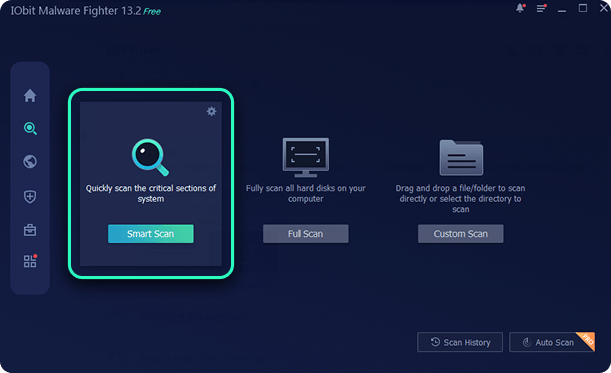
IObit Malware Fighter gives me several scanning options, including Smart Scan, Full Scan, and Customize Scan. Smart Scan checks critical areas of the system, while Full Scan goes through the hard drives. If I only want to check a particular folder or file, I can use Customize Scan instead.
For my normal routine, Smart Scan makes the most sense. It’s quick enough to run without interrupting what I’m doing, while the deeper scanning option is useful when I have a specific reason to suspect something.
That flexibility is important to me because security shouldn’t become another chore.
Real-Time Protection Is More Important Than I Expected
One thing I don’t want from security software is a program that only tells me about a problem after I’ve already been infected.
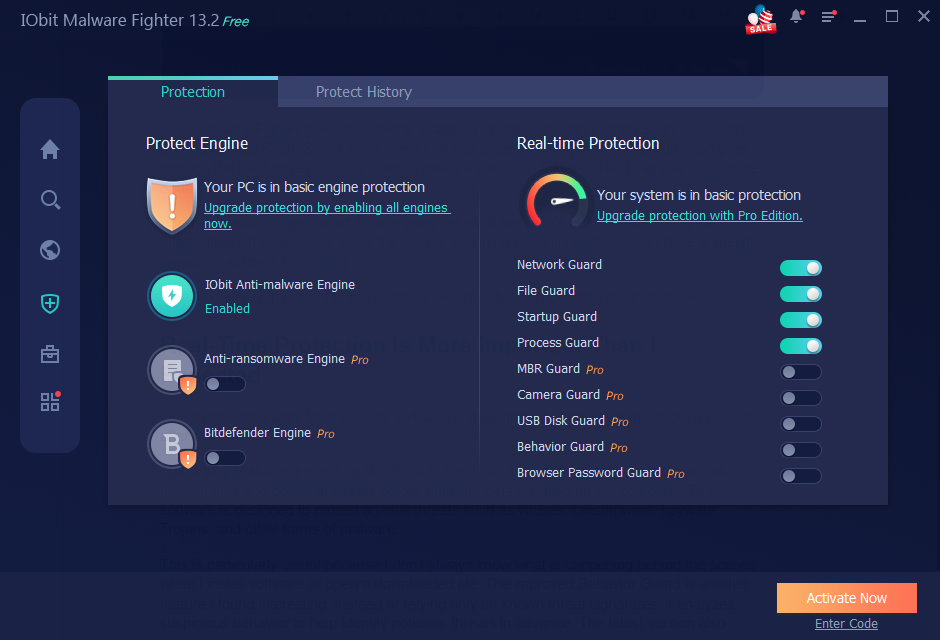
That’s why real-time protection stood out to me. IObit Malware Fighter can automatically monitor files and potential threats before malware gets installed on the computer. The software is designed to protect against threats such as viruses, ransomware, spyware, Trojans, and other forms of malware.
This is particularly useful because I don’t always know what is happening behind the scenes when I install software or open a downloaded file. The improved Behavior Guard is another feature I found interesting. Instead of relying only on known threat signatures, it analyzes suspicious behavior to help identify potential threats in advance. The latest version also introduces improved advanced heuristics for detecting more threats, including variants of existing malware.
For me, that makes more sense than relying entirely on manual scans. Ideally, security software should be watching in the background while I get on with my work.
Protecting My Files From Ransomware
Ransomware is one of those threats that I hope I’ll never have to deal with. The scary part isn’t simply losing access to a single file. Important documents, photos, projects, and other personal data can all become targets.
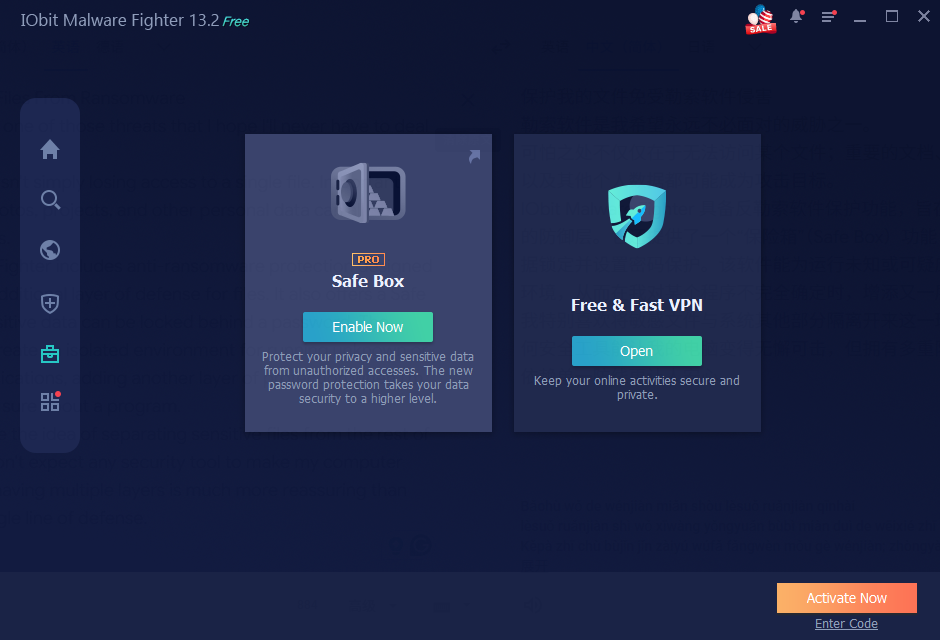
IObit Malware Fighter includes anti-ransomware protection designed to provide an additional layer of defense for files. It also offers a Safe Box where sensitive data can be locked behind a password. The software can create an isolated environment for running unknown or suspicious applications, adding another layer of protection when I’m not completely sure about a program.
I particularly like the idea of separating sensitive files from the rest of the system. I don’t expect any security tool to make my computer invincible, but having multiple layers is much more reassuring than relying on a single line of defense.
Browser Security: The Part I Probably Need Most
If I’m honest, browsing the web is probably where I encounter the most potential security risks. A website doesn’t have to look suspicious to be dangerous. Phishing pages can imitate familiar services, malicious links can arrive through email, and unwanted changes to browser settings can happen without me immediately noticing.
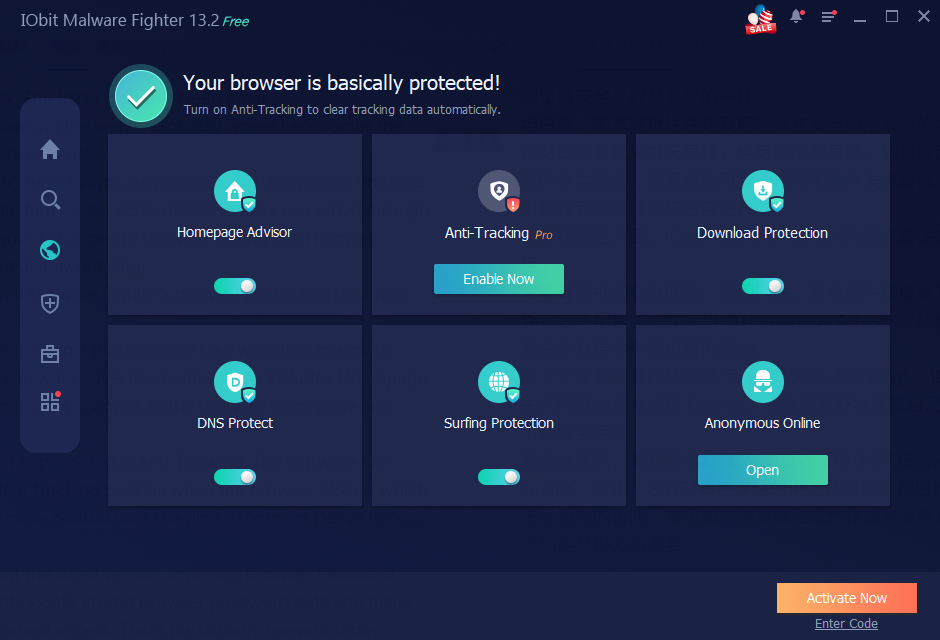
This is where IObit Malware Fighter’s browser protection becomes useful. It can help protect against phishing and fake websites, malicious email links, and annoying advertisements. It also includes Homepage Advisor, which monitors changes to the browser homepage and search engine.
Another feature I appreciated is Anti-Tracking. The software can automatically clear tracking cookies when the browser closes, which gives me a little more control over the digital footprint I leave behind while browsing.
I also noticed that the latest version improves Browser Password Guard. It encrypts locally stored browser password data and helps prevent unauthorized access. That’s particularly relevant today because browsers have become convenient places to store login information.
What About Performance?
This is always one of my concerns with security software. There’s little point in having strong protection if the security program constantly makes my PC feel sluggish.
During my experience with IObit Malware Fighter, I found the general workflow easy enough to fit into normal PC use. The latest version also improves scanning performance, with IObit stating that Full Scan speed can be improved by up to 30%.
Of course, the actual experience will depend on the hardware, storage, number of files, and what else is running on the system. But I like seeing performance improvements alongside new security features because security software needs to be practical, not just powerful on paper.
My Final Verdict
After using IObit Malware Fighter, what I appreciate most is that it doesn’t focus on only one type of threat. As a free antimalware solution, it combines malware detection, real-time protection, ransomware defense, browser security, download protection, privacy tools, and multiple scanning modes in one package. The latest version also brings improvements to features such as Behavior Guard, Browser Password Guard, Email Protection, Ads Block, and advanced heuristics.
For me, the biggest advantage is the feeling of having several layers of protection working together. And if you’re looking for a straightforward way to strengthen your Windows security without turning your computer into a complicated security control center, IObit Malware Fighter is certainly worth a closer look.
