
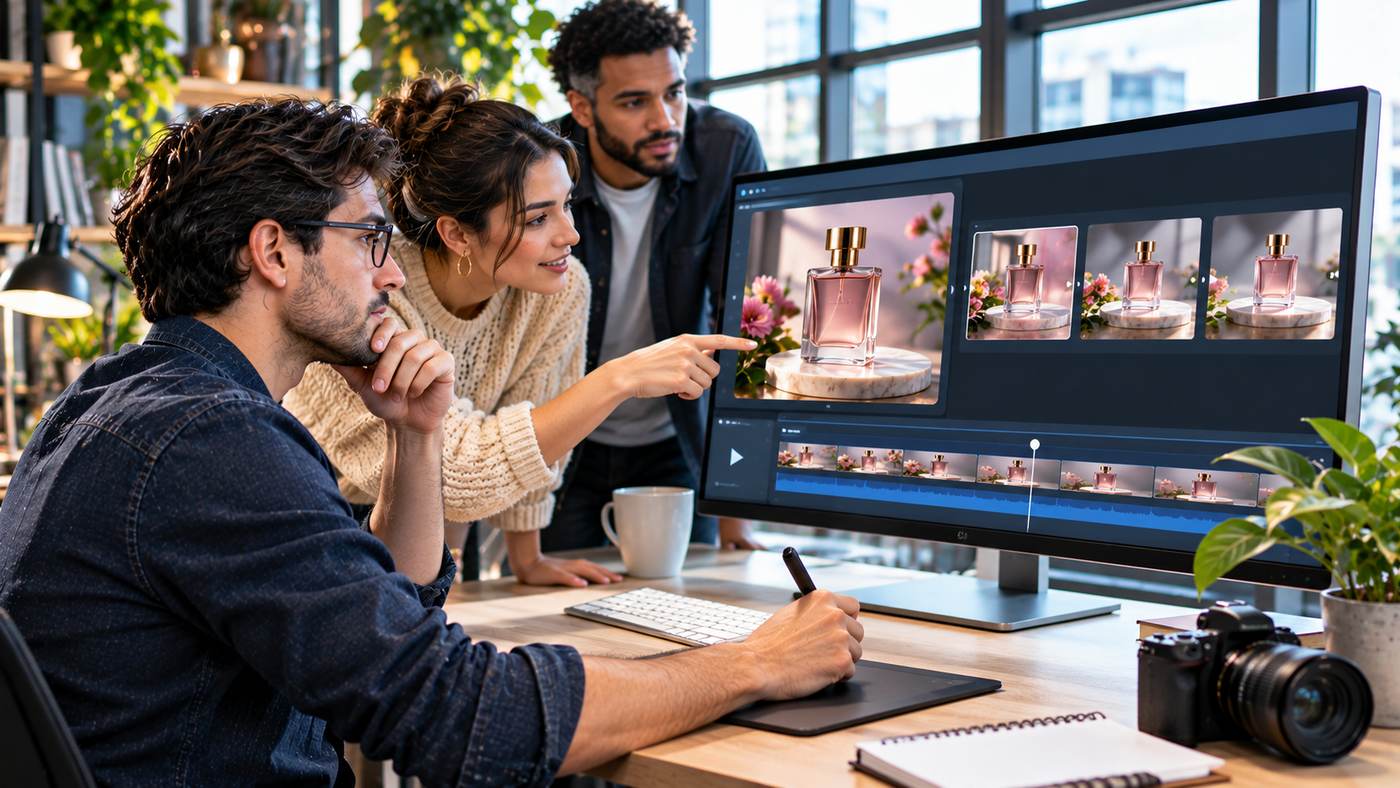
Video has become an essential format for digital communication. Businesses use it to introduce products, marketers rely on it for advertising, and content creators publish short clips to connect with audiences across social media. However, producing professional-looking videos traditionally requires filming equipment, editing experience, and considerable time.
Artificial intelligence is changing that process. Modern image-to-video technology can transform a static photograph into a short moving scene, introducing camera movement, environmental animation, and cinematic effects without requiring a conventional video shoot.
ImageTo.Video is an AI-powered platform designed to make this process more accessible. Users can upload an image, describe the motion they want, select generation settings, and create a video based on the original visual.
For marketers, online retailers, bloggers, and independent creators, this approach offers new ways to reuse photographs and experiment with visual storytelling.
This guide explains how the technology works, explores the platform’s key features, and provides practical advice for producing more effective AI-generated videos.
What Is an AI Image-to-Video Generator?
An AI image-to-video generator is a tool that uses artificial intelligence to create moving footage from a still image.
Unlike a conventional slideshow, which typically displays existing pictures in sequence, this technology generates new visual frames that simulate motion.
The original photograph acts as a reference for the scene’s subjects, composition, lighting, and other details.
The AI model then attempts to animate selected elements according to the user’s instructions.
For example, a photograph of a coastal landscape might become a short video featuring gently moving waves and a slow camera movement.
Similarly, a product photograph could become an advertising clip with a subtle camera push-in and changing reflections.
How Image-to-Video Technology Works
Modern generative video systems use trained models to estimate how visual elements might move across a sequence of frames.
The model interprets the image alongside any motion instructions supplied by the user.
It then creates additional frames intended to maintain visual continuity while introducing movement.
However, the resulting animation is an interpretation rather than a guaranteed reproduction of real-world physics.
Hands, facial features, product details, and complex backgrounds may sometimes change unexpectedly.
For that reason, reviewing the completed video is an important part of the workflow.
Seven Smart Ways to Use AI Video Creation
An AI video generator can support several different creative objectives. The following applications are particularly relevant for businesses and content creators.
1. Transform Product Photography Into Video Ads
Product photography is a valuable asset for e-commerce businesses.
Online retailers already invest in images showing clothing, accessories, cosmetics, electronics, furniture, and other products.
AI animation provides an opportunity to adapt some of these photographs into short promotional clips.
A cosmetics company, for example, could begin with a high-quality photograph of a perfume bottle.
A suitable motion prompt might request a gentle camera movement while the background lighting changes subtly.
The resulting clip could provide an alternative creative format for an advertising campaign.
However, the animation should not alter the product’s actual shape, packaging, colours, or other important characteristics.
2. Create Short Social Media Videos
Social platforms frequently encourage visual storytelling through short-form video.
Creators may have extensive collections of photographs but limited resources for producing new footage.
Image-to-video tools can help convert selected images into moving scenes.
For example, a travel creator might animate a photograph of a mountain landscape using subtle cloud movement and a slow camera pan.
A food blogger could introduce gentle motion to a carefully composed restaurant photograph.
These clips can become supporting elements in larger video projects or standalone visual posts.
3. Animate Travel and Landscape Photography
Travel photography is particularly suitable for restrained environmental motion.
A still photograph may contain clouds, water, trees, or other elements that naturally suggest movement.
An AI generator can attempt to animate these details while preserving the overall composition.
For instance, a beach photograph could feature gentle waves moving toward the shore.
A mountain scene could include slowly drifting clouds.
The strongest results often come from selecting one or two plausible movements rather than requesting several complicated actions simultaneously.
4. Develop Creative Advertising Variations
Digital marketing campaigns benefit from testing different creative concepts.
A business may want to compare a static product advertisement with a moving version.
Rather than arranging a separate video production for every idea, a team can use existing photographs as references.
An image-to-video workflow can help create variations involving different camera movements, lighting, or pacing.
However, marketers should avoid assuming that motion automatically improves campaign performance.
The effectiveness of each creative approach should be evaluated using relevant advertising metrics.
5. Bring Illustrations and Artwork to Life
AI video generation is not limited to photography.
Illustrations, digital paintings, and other visual artwork can also serve as source material, depending on the tool’s supported formats and content requirements.
A fantasy landscape might be animated with environmental effects.
A stylized character illustration could receive subtle movement.
Creators should consider whether the animation preserves the intended artistic style.
They should also use artwork they own or have permission to animate.
6. Produce Website Hero Videos
Many modern websites use short background videos to establish a visual identity.
These clips may appear on homepages, landing pages, or product presentation sections.
AI-generated motion can provide an alternative to traditional background footage.
For example, an interior design business might animate a photograph of a contemporary living room using a very slow camera movement.
The resulting video should remain visually subtle so that it does not distract from important website content.
Performance also matters.
Large video files can affect loading speed, particularly on mobile devices.
7. Create Concepts Before Full Video Production
AI-generated video can also be valuable during early creative planning.
Advertising agencies, filmmakers, and marketing teams often need to communicate visual ideas before committing to expensive production.
A photograph can serve as the foundation for a short concept clip demonstrating framing, mood, or camera direction.
These previews can help teams discuss ideas with stakeholders.
However, they should not be presented as actual production footage when that distinction could mislead viewers.
Exploring ImageTo.Video and Its Features
Creators interested in AI-assisted animation can explore ImageTo.Video, which provides tools for converting still images into short video clips.
The platform uses an Image to Video 2.0 workflow and supports motion instructions, output framing, and different generation modes.
Its website also provides examples and tools focused on product videos, photographs, social media visuals, and advertising applications.
Image Upload and Motion Prompts
Users begin by selecting a suitable source image.
The platform supports common raster image formats, including JPEG, PNG, GIF, WebP, and AVIF.
After uploading an image, users can describe the intended motion.
Prompts may specify camera direction, subject movement, environmental effects, lighting, or pacing.
The platform also provides preset ideas such as camera push-in, slow camera pan, and natural motion.
Video Duration Options
The current Image to Video 2.0 workflow provides short generation lengths of four, six, and eight seconds.
These durations are suitable for visual concepts, promotional snippets, and short supporting clips.
Longer projects may require editing multiple generated clips together.
Output Resolution
The platform currently describes its main Image to Video 2.0 workflow as producing 720p video.
This resolution may be appropriate for initial creative testing and some online applications.
However, businesses should review their publishing requirements before assuming a particular output will meet professional delivery specifications.
Landscape and Portrait Formats
The generator provides framing options for different viewing experiences.
Landscape video can work well for websites and widescreen presentations.
Portrait formatting is useful for many mobile-first social media platforms.
An automatic option can also follow the source image’s framing.
Changing aspect ratio may affect composition, so important subjects should be kept away from potentially cropped edges.
How to Convert a Photo Into an AI Video
A structured workflow helps creators produce more reliable results.
Step One: Choose a Clear Source Image
Begin with a photograph that has a recognizable subject and an uncluttered composition.
Good lighting and sufficient image quality make it easier to evaluate the generated result.
Avoid heavily compressed images or photographs containing numerous overlapping subjects when precise motion is required.
Step Two: Decide What Should Move
Identify the main motion before writing the prompt.
A landscape might benefit from moving clouds.
A product image may work with a gentle camera movement.
A portrait might use restrained facial movement, provided the image meets the platform’s content requirements.
Avoid requesting unrelated movements that compete for attention.
Step Three: Write a Specific Motion Prompt
A useful prompt explains the intended action clearly.
For example:
“Slow cinematic camera push-in toward the perfume bottle. Soft background light shifts naturally while the bottle remains stationary and its shape stays consistent.”
This gives the model direction while identifying details that should remain stable.
Step Four: Select the Output Settings
Choose the appropriate aspect ratio, duration, and generation mode.
Review the credit cost before beginning.
Different modes may require different numbers of credits.
Step Five: Generate and Review
Once the video is generated, inspect the entire clip.
Check whether objects maintain their shape and whether the movement appears natural.
Pay special attention to faces, hands, packaging, text, and reflective surfaces.
Step Six: Export the Final Video
Download the completed clip when satisfied with the result.
If necessary, use a video editor to add captions, licensed music, branding, or additional footage.
Always review the final version before publication.
Writing Better AI Motion Prompts
A well-written motion prompt can provide clearer creative direction.
However, longer instructions are not automatically better.
The aim is to describe movement in terms that are specific and visually understandable.
Describe Camera Movement
Camera movement can create depth and draw attention toward a subject.
Common options include slow zooms, gentle pans, and controlled tracking movements.
Avoid requesting extreme camera motion when the original photograph provides limited visual information.
Keep Product Details Consistent
For commercial images, product accuracy is particularly important.
Include instructions emphasizing that the main object should retain its original shape, colour, and proportions.
Although the AI system may not follow every instruction perfectly, this provides useful direction.
Use Natural Environmental Motion
Environmental motion often works well because viewers already understand how the elements should behave.
Clouds can drift, leaves can move gently, and water can ripple.
Subtle animation can sometimes produce a more convincing result than dramatic transformations.
Define the Mood
Lighting and pacing influence how the finished video feels.
A calm lifestyle advertisement may benefit from slow motion and soft lighting.
A more energetic promotional concept could use faster pacing and stronger visual transitions.
The motion should support the original message.
Understanding Generation Credits and Pricing
ImageTo.Video uses a credit-based generation system.
According to its published pricing information, the Image to Video 2.0 workflow offers Lite, Fast, and Quality modes.
At the time of review, a 720p generation costs 30 credits in Lite mode, 60 credits in Fast mode, and 250 credits in Quality mode.
The platform also lists one-time credit packs and larger packages intended for more frequent use.
Pricing and available features may change.
Before purchasing credits, users should check the current cost of their selected mode and confirm any applicable limitations.
Choosing a Suitable Mode
A lower-credit mode may be useful when exploring initial concepts or testing different prompts.
Higher-cost modes may be considered when their available capabilities better match project requirements.
However, a more expensive mode should not be assumed to guarantee a perfect result.
Testing a realistic project is often the best way to evaluate suitability.
Common Problems With AI-Generated Videos
Generative video technology remains imperfect.
Recognizing common problems can help creators improve quality control.
Unnatural Movement
Some animations include movement that does not match the subject or environment.
For example, a stationary product may shift unexpectedly when the intended effect was only camera movement.
Reducing the complexity of the prompt may help.
Changing Product Appearance
Packaging, labels, and product proportions can change between frames.
This is particularly problematic for commercial advertising.
Always compare the generated video with the original product image.
Distorted Facial Features
Portrait animation may produce inconsistent expressions or facial details.
Creators should inspect these results carefully and respect the platform’s rules concerning consent and identifiable people.
Inconsistent Backgrounds
The AI model may introduce visual details that were not present in the source image.
Background objects may shift, disappear, or change shape during motion.
Simpler scenes can sometimes produce more consistent results.
Unexpected Cropping
Changing from landscape to portrait formatting may remove important elements.
Before generating, consider whether the source photograph provides sufficient space around the subject.
Image-to-Video Creation for E-Commerce
Online retailers can use AI-generated motion to explore new ways of presenting products.
However, accurate representation remains essential.
Product Detail Videos
A close-up photograph might become a short clip with subtle camera movement.
This can help highlight the composition of a product image.
It should not create misleading impressions about product materials or functionality.
Lifestyle Promotions
An existing lifestyle photograph can provide context for a promotional video.
A furniture business might animate a professionally photographed room.
A beauty retailer could develop motion-based creative around an approved product image.
Advertising Experiments
Different clips can be tested against static images to evaluate audience response.
Metrics may include engagement, click-through rate, and completed purchases.
The results should guide future creative investment rather than relying on assumptions that moving images always perform better.
Responsible Use of AI Video Tools
Creators should consider legal, ethical, and practical responsibilities when publishing synthetic media.
Use Images With Appropriate Rights
Upload photographs and artwork that you own or are authorised to use.
Purchasing or downloading an image does not always provide permission for every type of modification or commercial use.
Review applicable licensing terms.
Respect Personal Privacy
Photographs of identifiable individuals require careful handling.
Do not assume that permission to use a photograph automatically includes permission to animate someone’s appearance.
Consider consent, privacy, and the platform’s content restrictions.
Avoid Misleading Advertising
AI-generated footage should not falsely demonstrate product performance or depict events that did not occur as though they were real.
Visual accuracy is particularly important for products involving safety, health, finance, and other consequential claims.
Maintain Human Quality Control
AI-generated video should be reviewed before publication.
Editors should evaluate visual consistency, factual accuracy, brand suitability, and the overall audience experience.
How to Choose the Right Image-to-Video Platform
Different creative tools provide different combinations of features.
Before selecting one, identify the type of content you intend to produce.
Consider whether you primarily need product videos, artistic animation, social media clips, or early creative concepts.
Evaluate output resolution, generation duration, pricing, supported input formats, and editing flexibility.
Also review the platform’s privacy terms, content restrictions, and commercial usage conditions.
For teams producing high volumes of videos, workflow consistency and predictable costs may be as important as individual visual quality.
A platform should fit the entire production process rather than simply produce an impressive sample.
Frequently Asked Questions
What is ImageTo.Video used for?
ImageTo.Video is an AI-powered service that generates short moving clips from still images using motion prompts and selectable video settings.
Can ImageTo.Video create videos from JPG images?
Yes. The platform supports JPEG images alongside several other common image formats.
How long are generated videos?
The current Image to Video 2.0 workflow offers four-, six-, and eight-second video generation options.
Does ImageTo.Video support vertical videos?
Yes. The generator includes portrait and landscape framing options, along with automatic framing based on the source image.
Can I try ImageTo.Video for free?
The platform advertises starter credits for new users. Availability and generation costs should be checked on the current website.
Conclusion
AI-powered video generation is creating new possibilities for businesses, marketers, and independent creators who want to turn existing visual assets into engaging digital content.
ImageTo.Video provides an accessible approach to transforming photographs into short videos using motion prompts, different generation modes, and selectable output settings.
Its practical applications range from product advertising and social media posts to landscape animation and early creative concepts.
However, successful results depend on appropriate source images, clear motion instructions, realistic expectations, and careful quality control.
By combining AI-assisted animation with thoughtful editing and responsible publishing practices, creators can experiment with moving visuals more efficiently while maintaining the quality expected in professional digital content.
