
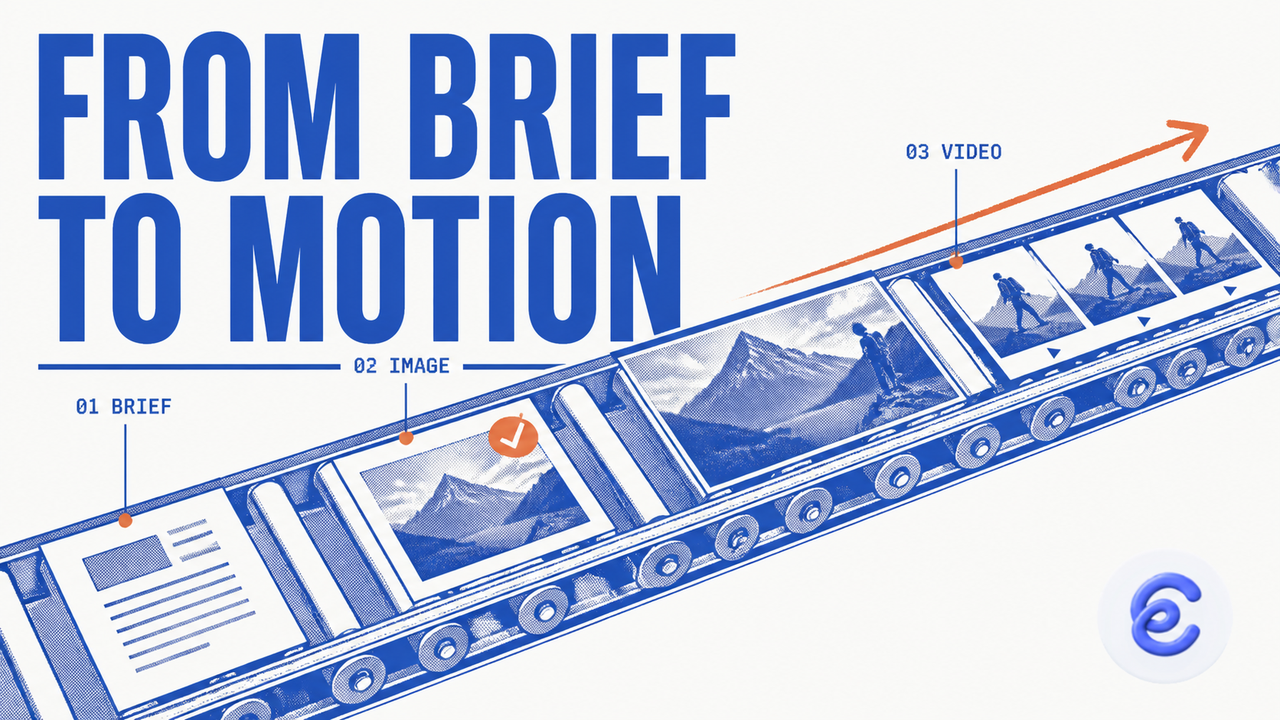
Marketing teams rarely struggle to find visual inspiration. The harder part is turning what they find into original campaign assets without losing time, context, or brand direction.
A creative lead may discover an effective product layout on Pinterest. A social manager may notice a fast-moving video on Twitter or X. A designer may find a strong use of space on Awwwards. These examples can shape a campaign, but the team still needs to explain what matters, build a clear brief, and create new work that fits its own audience.
Clico gives teams a connected AI image and video workflow for collecting references, researching ideas, generating media, and continuing work through shared conversation history.
The business value is not simply faster generation. It is a shorter path from exploration to an approved asset.
Start With the Business Job
An AI-generated image is only useful when it supports a real goal. Before generating anything, the team should define the job of each asset.
A product launch might need a wide website banner, three square social images, and a short vertical video. A recruiting campaign may need a hero image, an employee-story carousel, and a motion concept for paid social. An event campaign could require a cover, speaker graphics, and a short opening clip.
The brief should explain the audience, message, product facts, visual mood, and delivery format. One descriptive sentence can cover the core direction. For example, a team might ask for a bright editorial launch image that shows the product in daily use, leaves open space for a headline, and feels confident without looking formal.
This is more useful than a long list of style words because it describes what the image needs to accomplish.
Collect References While the Idea Is Fresh
The Clico browser extension helps teams begin from the page they are already viewing. On sites such as Pinterest, Twitter or X, and Awwwards, users can open Clico alongside the current content instead of moving immediately into another tool.
The extension can work with page context, capture the visible tab, or capture a selected page area when the site and browser allow it. Users can also bring images and supported media attachments into a conversation. Video input depends on the selected model’s supported input types, and some page structures may limit what can be read or captured.
The important step is to explain why each reference matters. A screenshot might be useful because of its framing. A page might offer a good information hierarchy. A short clip might suggest pacing or camera movement. Naming that value helps Clico turn browsing material into a focused creative direction rather than a copy of the source.
When the required account, model, provider, and generation settings are available, the extension can create and preview images in its floating chat panel. This gives teams a quick way to test a visual idea while reviewing the original source.
Move From Exploration to Production in One Tab
For the complete workflow, teams can continue in Clico’s browser-based creative workspace. One Web tab can hold research, files, image generation, video generation, and the conversation that connects them.
A campaign manager can begin with research. The team may compare public sources, review a product document, or gather facts about an audience. It can then turn those findings into a brief without opening a separate research product.
The same conversation can create image options. Clico’s AI image generator supports banners, covers, avatars, memes, carousels, and ordered image sets. One generation request can return up to four image outputs, which is enough to compare directions without creating a large pile of unused files.
Users select the owned image assets that should act as references for the current request. Clico Web can use up to five selected image references. It does not need to treat every old upload as part of the new campaign.
After the team approves a still direction, it can request a video in the same workspace. The motion brief may describe what moves, what stays stable, how the scene ends, and which aspect ratio is needed. Requests can also mention duration, resolution, or generated audio, although available settings depend on the internal video model profile.
Video creation is an asynchronous task. Queued and rendering states show progress, but delivery is complete only when the finished MP4 asset is available.
Let History Carry the Brief Forward
Repeated handoffs create hidden costs. Team members spend time finding files, copying old prompts, and explaining why a reference was approved.
Clico’s extension keeps local and backend history in sync, and users can reopen earlier chats or move into the fuller Web history experience. This creates a practical bridge between browsing and production.
A designer might collect three references in the extension during the morning, then reopen the related conversation in Web later that day. The brief, selected examples, and earlier discussion remain available. The designer can add research, create image directions, and move the chosen result into a video request.
Clico Web also stores durable records for image and video generation tasks. If a user leaves while a task is running, reopening the saved conversation can restore the pending call and continue checking its status. The feature preserves a defined creative task; it is not unlimited autonomous work.
Build a Repeatable Five-Step Workflow
Teams can turn the connected process into a simple operating method.
First, explore with a clear purpose. Look for useful composition, mood, movement, or information structure instead of collecting random attractive images.
Second, capture only the references that support the campaign. Confirm that the team has permission to use uploaded material.
Third, turn those references and research into one descriptive brief. State the subject, audience, format, and desired response.
Fourth, generate a small number of image options and choose one direction before starting video. Refining a single variable is easier than changing the style, subject, and composition at the same time.
Fifth, review the completed image or MP4 for spelling, product details, visual consistency, unwanted objects, and motion quality before publishing.
Measure the Workflow by Approved Output
Prompt volume is not a useful business metric. Teams should look at the time from discovery to first usable concept, the number of handoffs, the amount of revision work, and the percentage of generated assets that reach approval.
A connected workflow can improve those measures because the creative reasoning stays close to the media. The browser extension supports the explore stage, while Clico Web brings research and production into one tab. Synced history connects both parts of the process.
This gives businesses a clearer path from explore to free creation. Teams can move quickly without treating every new image or video as a project that must begin again from zero.
