
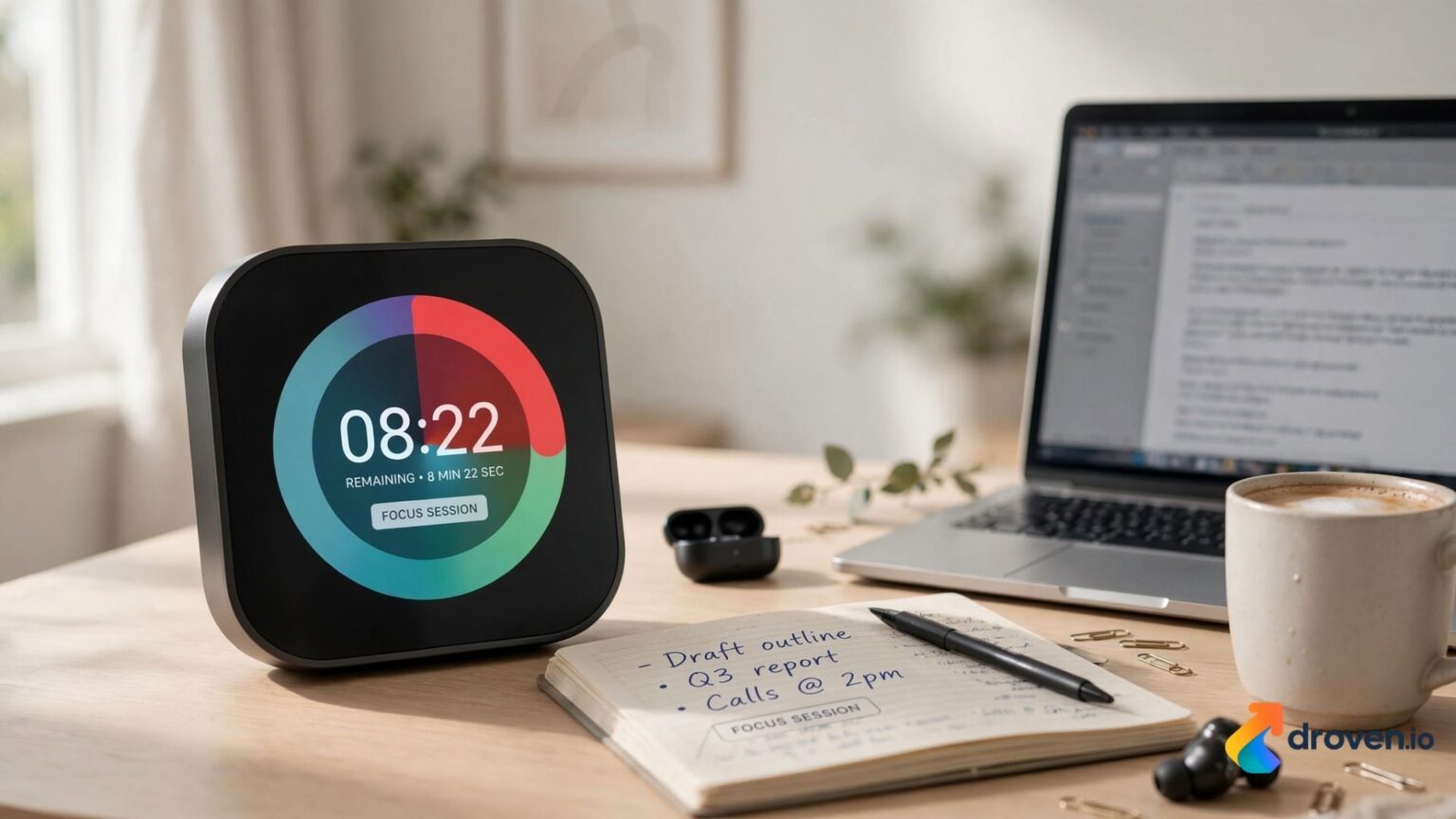
Managing time effectively can be challenging, especially when balancing work, school, household responsibilities, or daily routines. Many people find it easier to stay focused when they can actually see time passing rather than relying only on a clock. A visual timer provides a simple and effective way to represent the passage of time, making it easier to understand deadlines, complete tasks, and maintain routines. From classrooms and offices to homes and therapy settings, visual timers have become valuable tools for improving organization, concentration, and productivity.
What Is a Visual Timer?
A visual timer is a time management tool that displays the remaining time using a visual representation rather than only numbers.
Instead of watching minutes count down digitally, users see a colored section, progress bar, or animated display gradually decrease as time passes.
Visual timers are available in different formats, including:
- Mechanical visual timers
- Digital visual timers
- Mobile apps
- Desktop software
- Online browser-based timers
- Smart classroom timers
The features vary depending on the product or application.
Why Use a Visual Timer?
Many people understand time more easily when it is presented visually.
A visual timer can help:
- Improve focus
- Reduce procrastination
- Encourage task completion
- Support time awareness
- Simplify daily routines
- Reduce interruptions
The effectiveness of a visual timer depends on the individual’s needs and how it is used.
How a Visual Timer Works
Most visual timers follow a simple process.
- Set the desired amount of time.
- Start the timer.
- Watch the visual display gradually shrink or change.
- Complete the task before the visual indicator reaches zero.
Because users can quickly see how much time remains, they often spend less effort checking the clock.
Benefits of Using a Visual Timer
Better Time Awareness
A visual display helps users understand how quickly time is passing.
This can be especially helpful during:
- Study sessions
- Meetings
- Classroom activities
- Household chores
- Work projects
Improved Focus
Visual timers encourage uninterrupted work by providing a constant reminder of the remaining time.
Many people use timed work sessions to reduce distractions.
Increased Productivity
Breaking work into timed intervals can make larger tasks feel more manageable.
Examples include:
- Writing reports
- Homework
- Reading
- Cleaning
- Exercise
- Creative work
Smaller time blocks often encourage consistent progress.
Visual Timer for Children
Children often benefit from visual representations of time because abstract concepts such as minutes and hours can be difficult to understand.
Parents and teachers commonly use visual timers for:
- Homework
- Reading time
- Screen time
- Bedtime routines
- Daily chores
- Classroom transitions
Visual cues may help children prepare for upcoming changes in activities.
Visual Timer in Education
Teachers frequently use visual timers to organize classroom activities.
Common classroom applications include:
- Group work
- Independent study
- Reading sessions
- Classroom rotations
- Tests and quizzes
- Brain breaks
Visual timers help students understand expectations without requiring frequent verbal reminders.
Visual Timer for Students
Students of all ages can use visual timers to improve study habits.
Examples include:
- Time-blocked revision
- Assignment planning
- Practice exams
- Writing exercises
- Online learning
Many students combine visual timers with study techniques such as the Pomodoro Technique.
Visual Timer for Professionals
Workplace productivity often depends on effective time management.
Professionals may use visual timers during:
- Deep work sessions
- Meetings
- Presentations
- Client consultations
- Project planning
Time blocking can help reduce multitasking and improve concentration.
Visual Timer for Home Use
Families use visual timers in many daily situations.
Examples include:
- Cooking
- Cleaning
- Morning routines
- Exercise
- Household organization
- Family activities
A shared timer can make schedules easier to follow.
Digital vs. Physical Visual Timers
Digital Visual Timers
Digital versions often include:
- Custom countdowns
- Full-screen displays
- Sound alerts
- Mobile compatibility
- Multiple timers
Physical Visual Timers
Mechanical timers generally:
- Require no internet connection
- Operate without apps
- Offer simple operation
- Work well in classrooms
Choosing between them depends on personal preference and intended use.
Features to Look For
When selecting a visual timer, consider:
- Adjustable countdown times
- Quiet operation
- Audible alerts
- Silent mode
- Display size
- Battery life
- Portability
- Ease of use
Different environments may require different features.
Best Practices for Using a Visual Timer
To get the most benefit:
- Set realistic time limits.
- Focus on one task at a time.
- Minimize distractions.
- Take planned breaks.
- Review completed work after each session.
Consistency often improves long-term productivity.
Common Uses for a Visual Timer
Visual timers are widely used in:
- Schools
- Offices
- Homes
- Therapy clinics
- Libraries
- Study groups
- Training sessions
Their flexibility makes them useful across many settings.
Why Visual Timers Continue to Grow in Popularity
As productivity methods become more structured, visual timers remain valuable because they are:
- Easy to understand
- Simple to use
- Suitable for different age groups
- Adaptable to many tasks
- Available in both physical and digital formats
Their visual design makes time management more accessible for many users.
FAQs
What is a visual timer?
A visual timer displays the remaining time using a visual countdown, making it easier to understand how much time is left for a task.
Who can benefit from a visual timer?
Children, students, teachers, professionals, parents, and anyone looking to improve time management and productivity can benefit from using a visual timer.
Are visual timers useful for studying?
Yes. Visual timers can help students stay focused, manage study sessions, and divide large assignments into smaller, more manageable time blocks.
Can I use a visual timer for work?
Yes. Many professionals use visual timers for meetings, deep work sessions, presentations, and project management to improve focus and productivity.
What is the difference between a visual timer and a regular timer?
A visual timer shows the passage of time through a visual display, while a regular timer usually shows only numerical countdowns.
Conclusion
A visual timer is a practical tool that makes time easier to understand by providing a clear visual representation of the countdown. Whether you’re helping children follow routines, improving classroom management, increasing workplace productivity, or creating better study habits, visual timers offer a simple solution for staying organized and focused. By choosing a timer that fits your needs and using it consistently, you can build stronger time management habits and create more productive daily routines.
