
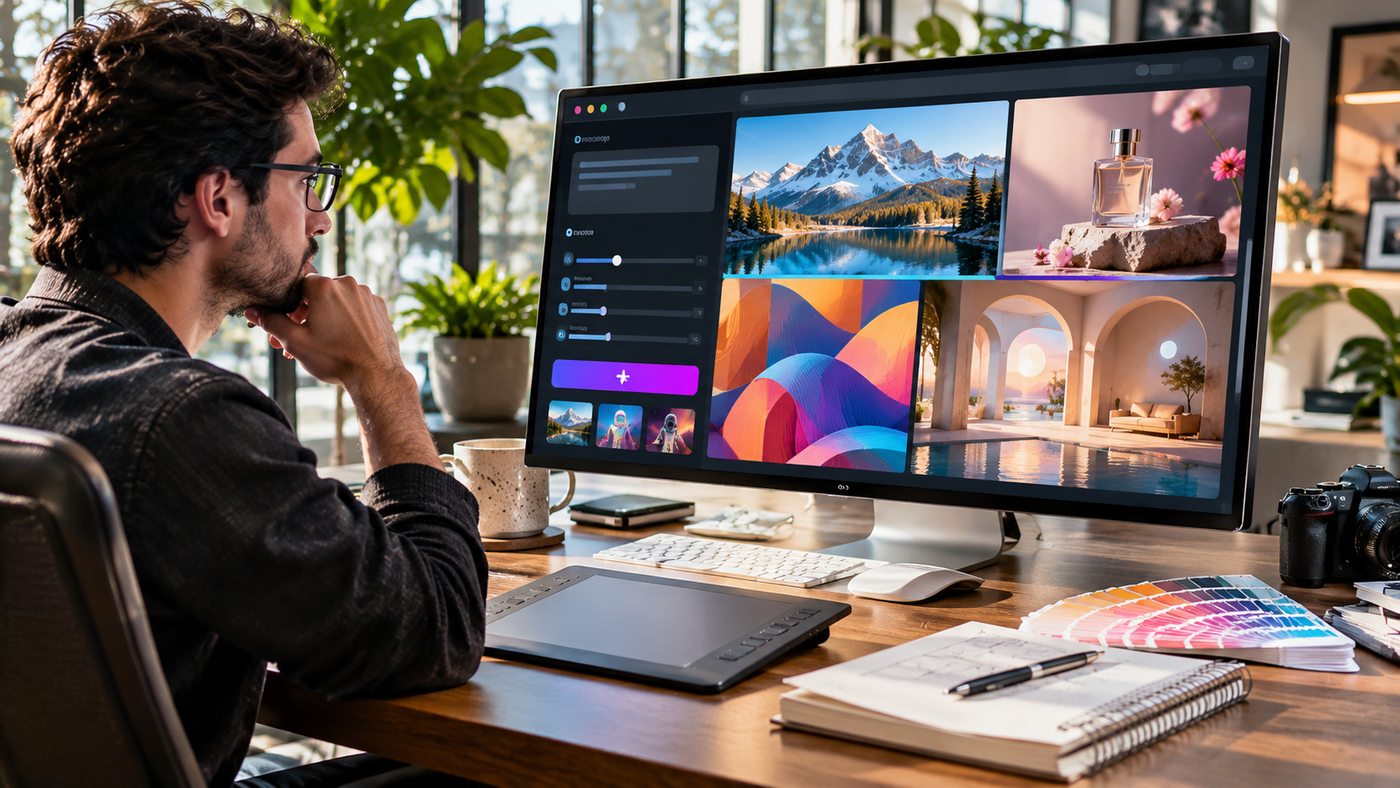
An AI Image Maker has transformed the way people create digital artwork, marketing graphics, product visuals, and social media content. Instead of spending hours manually designing every element, users can describe an idea in ordinary language and generate visual concepts using artificial intelligence. Modern image-generation technology can produce realistic photographs, imaginative illustrations, artistic compositions, and commercial design concepts in a relatively short time. Whether you are a content creator, entrepreneur, marketer, designer, or beginner exploring digital creativity, understanding how AI image generation works can help you produce more effective visuals while saving time. This guide explores essential features, practical applications, creative techniques, and important considerations for creating high-quality AI-generated images in 2026.
What Is an AI Image Maker?
An AI Image Maker is a digital tool that uses artificial intelligence to generate or modify visual content based on user instructions.
Most AI image generators rely on machine learning models trained to recognize relationships between language, visual patterns, objects, colors, and artistic styles.
When users enter a descriptive prompt, the system interprets the requested scene and produces an image based on its learned patterns.
For example, someone might request a realistic photograph of a modern home office with natural sunlight, wooden furniture, and indoor plants.
The AI system then creates a visual representation of that description.
Depending on the platform, users may also upload existing images, adjust compositions, change artistic styles, or refine individual details.
These capabilities make AI image creation useful for both personal projects and professional workflows.
However, generated images still require human review to ensure accuracy, quality, and suitability.
How Does AI Image Generation Work?
AI image-generation technology converts instructions into visual content through complex computational processes.
Although different platforms use different models, the overall process usually begins with a prompt.
Understanding Text Prompts
A text prompt describes the image a user wants to create.
It may include the subject, environment, lighting, colors, composition, camera perspective, and artistic style.
Detailed prompts generally provide more guidance than vague requests.
For example, asking for a beautiful office leaves many creative decisions to the system.
A more descriptive prompt can specify a minimalist workspace, floor-to-ceiling windows, warm afternoon sunlight, and realistic architectural photography.
Generating Visual Content
The AI model interprets the prompt and creates an image using its learned visual representations.
Some systems use diffusion-based methods, while others rely on different generative architectures.
The technical approach influences image quality, speed, consistency, and editing capabilities.
Refining the Results
The first generated image may not fully match the intended concept.
Users can revise the prompt, adjust settings, or use supported editing functions.
This iterative process helps improve composition and visual details.
Downloading and Preparing Images
After reviewing the output, users may export the image in a supported format.
For professional use, additional resizing, compression, color correction, and quality inspection may be necessary.
Why AI Image Creation Is Popular in 2026
AI-generated visuals have become useful across numerous creative and commercial activities.
One reason is that image generation reduces the technical barriers associated with producing original visual concepts.
People without advanced illustration skills can experiment with layouts, styles, and visual storytelling.
Faster Creative Development
Traditional design projects may involve several stages of sketching, sourcing visual assets, and developing initial compositions.
AI tools can accelerate concept exploration by generating multiple visual directions.
This does not eliminate professional design work, but it can make early creative decisions more efficient.
Greater Accessibility
Image-generation platforms allow beginners to create visual concepts using natural-language instructions.
Users can explore photography-inspired scenes, illustrations, and graphic compositions without learning every technique involved in producing them manually.
Flexible Creative Styles
AI systems can generate images with different visual characteristics.
Depending on the platform, users may request photorealistic scenes, watercolor artwork, cinematic environments, digital illustrations, or minimalist compositions.
Useful Business Applications
Businesses may use AI-generated visuals for advertisements, presentation concepts, website illustrations, and social media campaigns.
However, commercial usage rights and intellectual property considerations should be reviewed before publication.
9 Creative Ways to Use an AI Image Maker
AI image creation supports a wide variety of visual projects.
The following applications demonstrate how individuals and organizations can incorporate generated images into practical workflows.
1. Create Professional Social Media Graphics
Social media platforms depend heavily on visual communication.
Businesses regularly need fresh images for announcements, promotional campaigns, product highlights, and educational posts.
An AI Image Maker can help produce customized visual backgrounds and creative concepts that support a consistent brand identity.
For example, a wellness business might generate a peaceful morning scene featuring natural light, plants, and a comfortable interior.
A technology company could create a futuristic workspace illustration to accompany an educational article.
Users should select appropriate image dimensions and leave suitable space for any text that will be added later.
Adding important text through a dedicated graphic design application can provide greater control over readability and layout.
2. Generate Blog Featured Images
Blog articles benefit from relevant images that communicate the subject quickly.
Writers can create topic-specific visuals rather than relying exclusively on generic stock photography.
For example, an article discussing remote work might use a realistic image of a professional working from a bright home office.
An article about cybersecurity could feature a security analyst examining digital monitoring dashboards.
When creating featured images, consider the website’s preferred dimensions, visual style, and loading performance.
Descriptive filenames, relevant alt text, and appropriate compression can also improve accessibility and page usability.
3. Develop Product Photography Concepts
E-commerce businesses frequently need attractive product imagery.
AI tools can help explore lighting arrangements, backgrounds, display environments, and advertising concepts.
For instance, a skincare company might generate a premium bathroom setting featuring natural stone surfaces and soft lighting.
However, product representation requires special care.
Generated visuals should not misrepresent product size, ingredients, packaging, or performance.
When advertising a real product, using verified product photography as the foundation for approved edits can help maintain accuracy.
4. Design Marketing Campaign Visuals
Marketing teams often test different visual approaches before finalizing an advertisement.
An AI Image Maker can support this process by generating alternative scenes, color palettes, and compositions.
A travel company might explore coastal landscapes with warm sunset lighting.
A furniture business could test modern living room concepts featuring different interior styles.
Creative teams can compare these concepts to determine which direction best supports the campaign.
Final advertisements should still undergo brand, factual, and legal review.
5. Create Educational Illustrations
Teachers, trainers, and educational publishers can use generated images to explain concepts visually.
Examples include historical environment reconstructions, simplified scientific illustrations, and conceptual diagrams.
AI-generated educational content should be verified carefully because visual models can introduce inaccurate details.
For technical subjects, a professionally prepared diagram may be more appropriate than a purely generative illustration.
6. Explore Interior Design Concepts
Interior designers and homeowners can experiment with room styles before making purchasing decisions.
A user might request a Scandinavian living room with pale wooden furniture, neutral textiles, and natural lighting.
Another prompt could explore a contemporary kitchen featuring dark cabinetry and marble surfaces.
These images can help communicate preferences and compare design directions.
However, generated interior concepts should not be treated as construction drawings or proof that a layout is structurally feasible.
7. Create Book and Digital Publication Artwork
Authors and publishers can use AI tools to develop cover concepts, chapter illustrations, and promotional imagery.
Generated visuals may help establish a story’s atmosphere or explore character-independent scenes.
For example, a science fiction author could develop futuristic city environments.
A travel writer might create stylized landscape illustrations.
Before publication, review commercial licensing terms, originality concerns, and any applicable disclosure requirements.
8. Generate Website Backgrounds and Illustrations
Websites often require visuals that support their design without distracting from essential information.
AI-generated backgrounds can help create a consistent atmosphere across landing pages, service sections, and promotional areas.
A financial technology website might use abstract geometric patterns.
An environmental organization could use nature-inspired illustrations.
Designers should ensure that images remain legible behind text, work across screen sizes, and do not unnecessarily slow page loading.
9. Build Creative Portfolios and Mood Boards
A mood board brings together visual references that communicate an overall creative direction.
AI tools make it possible to explore different concepts quickly.
Photographers may experiment with lighting ideas, while graphic designers can investigate color relationships and composition styles.
These generated concepts can serve as starting points for further human design work.
They should not be represented as photographs of real projects that have not occurred.
How to Write Better Prompts for AI Images
Prompt writing is one of the most valuable skills when working with image-generation tools.
A clear prompt helps communicate the desired result.
Start With a Specific Subject
Identify the main object, person, or scene.
Instead of requesting a modern workspace, describe a contemporary home office with a wooden desk, laptop, and large windows.
This gives the model a clearer visual direction.
Describe the Environment
The background influences the overall appearance.
Specify whether the setting is a professional studio, outdoor landscape, residential interior, or commercial environment.
Choose the Lighting
Lighting affects the mood and visual depth of an image.
Examples include soft morning sunlight, overcast natural lighting, dramatic side lighting, and controlled studio illumination.
Define the Composition
Describe how the subject should appear within the frame.
A wide-angle composition may be suitable for architecture, while a close-up can emphasize product details.
Specify the Visual Style
Users can request photorealistic editorial photography, clean vector-inspired illustration, watercolor artwork, or cinematic digital art.
Avoid combining too many conflicting styles.
Include Technical Requirements
Where supported, specify aspect ratio, orientation, resolution, and background preferences.
These details help prepare the image for its intended destination.
Example Prompts for Different Projects
A strong prompt generally combines the subject, setting, style, lighting, and composition.
Product Photography
Create an ultra-realistic commercial photograph of a premium glass perfume bottle on a beige stone pedestal, surrounded by delicate flowers. Use soft studio lighting, realistic reflections, elegant neutral colors, and a luxury advertising composition. No logos or readable text.
Travel Photography
Generate a realistic wide-angle photograph of a peaceful mountain lake at sunrise, surrounded by pine forests and distant snowy peaks. Include natural reflections, atmospheric depth, and cinematic landscape photography.
Website Hero Image
Create a contemporary creative studio featuring a professional working on a laptop beside large windows. Include modern furniture, natural plants, soft daylight, and an organized workspace. Leave negative space for a website headline.
Food Photography
Generate a professional editorial photograph of a freshly prepared Mediterranean meal on a rustic ceramic plate, featuring colorful vegetables, fresh herbs, and natural window lighting. Emphasize authentic food textures and realistic presentation.
These examples provide starting points. The final prompt should be adapted to the intended audience and project requirements.
Text-to-Image vs. Image-to-Image Generation
AI image tools commonly support different workflows.
Text-to-image generation creates a visual from written instructions.
It is useful when the creator has an idea but no existing image.
Image-to-image generation begins with an uploaded reference image.
The system may then modify the scene, transform its style, or create a variation based on the original visual.
For example, a designer may upload a photograph of a room and request a different interior aesthetic.
A business might use an approved product photograph to explore alternative advertising backgrounds.
The website AI Image Maker provides AI-powered image creation options, while its image-generation pages describe text-to-image creation and image-to-image transformations. AI Image App+1
Users should verify the tool’s current features, image upload policies, pricing, and commercial terms before selecting a workflow.
How to Choose the Right AI Image Generator
The best platform depends on the intended project.
A casual creator may prioritize simplicity, while a professional design team may need detailed editing controls.
Consider the following factors:
- Image quality: Does the system create useful details and consistent visual results?
- Prompt control: Can users describe composition, lighting, and style effectively?
- Editing tools: Does the platform support revisions or reference images?
- Output options: Are suitable resolutions and file formats available?
- Commercial licensing: Do the terms permit the intended use?
- Privacy: How are uploaded images and prompts handled?
- Pricing: Are subscriptions, credits, and generation limits clearly explained?
It is worth testing the same project concept across suitable platforms before committing to a paid subscription.
Free vs. Paid AI Image Makers
Some AI image-generation services provide limited free access, while others require subscriptions or credits.
Free plans may offer useful opportunities for experimentation.
However, they can include restrictions on generation volume, image resolution, editing features, or commercial usage.
Paid plans may offer additional capabilities, depending on the provider.
Businesses should assess whether the extra functionality supports their workflow.
A paid subscription is not automatically necessary for every user.
Someone generating occasional personal artwork may have different needs from a marketing agency producing numerous commercial visuals.
Review the current pricing and licensing terms directly because these may change.
Can You Use AI-Generated Images Commercially?
Commercial usage depends on the platform’s terms, the generated content, and applicable laws.
Some providers permit commercial usage under specific subscription conditions.
However, permission to use an image commercially does not automatically mean that the user owns an enforceable copyright in every generated element.
In the United States, the Copyright Office has explained that copyright protection depends on sufficient human authorship. Purely machine-generated expression is generally not protected merely because a person supplied a prompt. Human-authored creative contributions may qualify for protection. U.S. Copyright Office+1
Commercial users should also consider trademarks, recognizable individuals, third-party intellectual property, and advertising accuracy.
Before publishing an image, verify the applicable licensing terms and ensure the content does not misrepresent real products or people.
Common Mistakes to Avoid With AI Image Generation
One common mistake is writing prompts that are too vague.
Without sufficient detail, the resulting image may not match the intended concept.
Another mistake is assuming that every generated result is technically accurate.
AI systems may produce unrealistic anatomy, incorrect product details, distorted objects, or inconsistent text.
Creators should inspect the output closely, especially when the image will support educational, commercial, or factual content.
Using low-resolution images for large displays can also reduce quality.
Finally, relying exclusively on generated visuals without maintaining a consistent creative direction may weaken brand identity.
Human editing, quality control, and project-specific judgment remain important.
How to Optimize AI Images for Websites
AI-generated images should be prepared carefully before uploading them to a website.
Select Suitable Dimensions
Choose dimensions that match the intended placement.
A featured image may require a different aspect ratio from a vertical social media graphic.
Compress Files Carefully
Large images can slow page loading.
Use an appropriate image format and compression level while preserving important visual details.
Write Meaningful Alt Text
Alt text should describe the visual information relevant to the page.
Avoid adding unrelated keywords merely to increase keyword frequency.
Use Descriptive Filenames
A clear filename can help organize media assets.
For example, a relevant AI image article could use ai-image-maker-creative-workspace.jpg.
Review Visual Accuracy
Inspect images for distorted hands, incorrect lettering, misleading representations, and other unwanted details before publication.
The Future of AI Image Creation
Image-generation technology continues to develop in several important areas.
Improved editing capabilities may make it easier to adjust individual elements without regenerating an entire scene.
Better reference-image handling can support more consistent creative projects.
Advances in resolution and rendering may also help users produce visuals suited to additional professional applications.
At the same time, responsible usage remains essential.
Privacy, intellectual property, misinformation, and the unauthorized use of identifiable individuals are important considerations.
AI tools are likely to remain valuable creative assistants, but professional results will continue to depend on clear direction, human judgment, and careful review.
Frequently Asked Questions
1. What is an AI Image Maker?
An AI Image Maker is a tool that generates or modifies images using artificial intelligence. Users can typically describe a scene with text or upload a reference image, depending on the platform.
2. Can beginners use AI image generators?
Yes. Many AI image tools support natural-language prompts, making them accessible to users without advanced illustration or graphic design skills.
3. Can AI-generated images be used for business?
Some platforms permit commercial usage under their licensing terms. Businesses should review those terms and consider copyright, trademarks, privacy, and advertising accuracy before publication.
4. What makes an AI image prompt effective?
An effective prompt clearly describes the subject, environment, lighting, composition, style, and desired output. Specific instructions generally produce more controlled results.
5. Are AI image makers free?
Some providers offer free generations or limited access, while others require subscriptions or credits. Available features, usage limits, and commercial permissions vary.
6. Can an AI Image Maker edit an existing photograph?
Some platforms offer image-to-image editing, style transformation, background changes, and other modifications. Capabilities depend on the selected tool and model.
Conclusion
An AI Image Maker provides a flexible way to create digital visuals for marketing, websites, social media, education, and creative projects. By writing descriptive prompts, choosing suitable tools, and refining generated results, users can develop images that better match their objectives. Commercial creators should also pay attention to licensing, accuracy, and responsible usage. As generative image technology continues to improve, combining AI capabilities with human creativity can lead to more efficient and visually engaging workflows.
